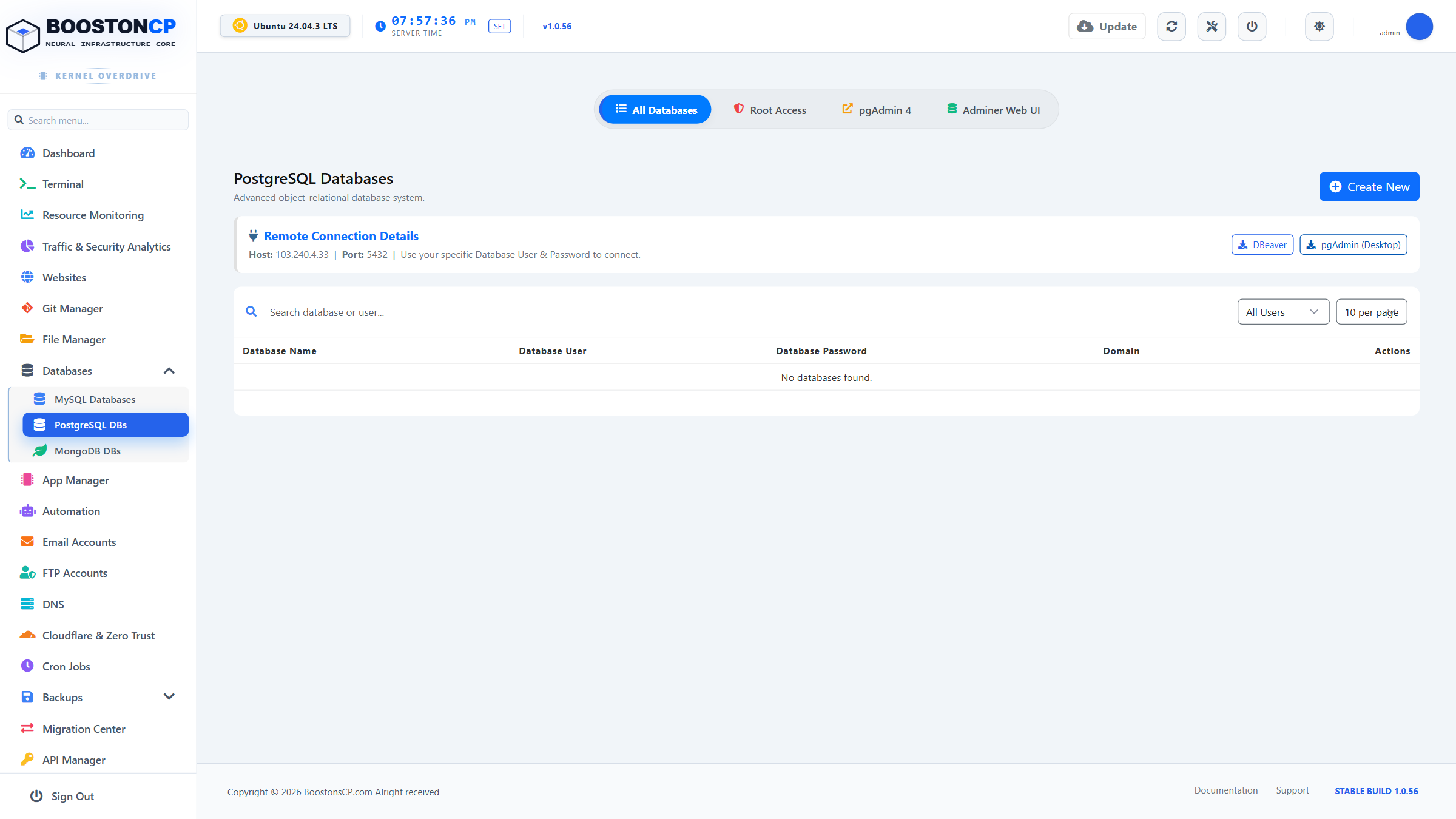
The PostgreSQL Databases subsystem in BoostonCP empowers administrators to host enterprise-grade relational database workloads alongside standard MySQL instances. Featuring automated database user privilege mapping, associated domain binding, and native pgAdmin 4 Single Sign-On (SSO) over SSL port 890, PostgreSQL management is unified under a single responsive interface.
1. Architectural Foundations of the PostgreSQL Subsystem
PostgreSQL provides advanced ACID-compliant transactional guarantees, complex JSONB document querying, and foreign table wrappers. BoostonCP integrates the PostgreSQL engine directly into Linux kernel systemd services:
- Engine Daemon: Powered by PostgreSQL 14/15/16 native binaries (
/usr/lib/postgresql/and/var/lib/postgresql/). - Kernel Socket & TCP Binding: Binds locally to socket
/var/run/postgresql/.s.PGSQL.5432and127.0.0.1:5432. - Zero External Exposure by Default: Protected against unauthorized external access. Network connections must either traverse the panel proxy or have specific IP whitelist entries in
/etc/postgresql/*/main/pg_hba.conf. - Tenant Isolation: Each PostgreSQL database and database user is partitioned using isolated Linux cgroups and strict owner-based schema permissions.
2. Creating Databases & Provisioning User Roles
To deploy a new PostgreSQL database:
- Navigate to Databases > PostgreSQL DBs in the sidebar.
- Click the blue Create Database button (
#btn-create-db) on the top toolbar. - Configure the database parameters in the creation modal:
| Field Name | Description & Guidelines | Recommended Settings |
|---|---|---|
| Database Name | System-unique identifier. The panel prefixes the username automatically (e.g., user_prod_db). |
Alphanumeric, lowercase, underscores only. |
| Associated Domain | Select the virtual host domain linked to this database from the dropdown. | Ties resource limits to the domain's cgroup pool. |
| Username | Master database role for this database schema. | Unique role name with least-privilege scoping. |
| Password | Strong cryptographic authentication credential. | Minimum 16 characters (or use the panel password generator). |
| Collation & Ctype | Character encoding standard. | Default: UTF-8 with en_US.UTF-8 collation. |
- Click Create Database. The system provisions the database cluster, sets
OWNERprivileges, updates connection records, and displays the full credentials modal.
3. Application Connection Endpoints & String Format
Connecting Node.js, Python/Django, Ruby on Rails, or PHP applications to your local PostgreSQL instance requires standard connection parameters:
PostgreSQL Connection String Standard
Standard URI:
postgresql://username:[email protected]:5432/database_name?sslmode=preferPHP PDO DSN:
pgsql:host=localhost;port=5432;dbname=database_name;user=username;password=secretEnvironment (.env):
DB_CONNECTION=pgsql | DB_HOST=127.0.0.1 | DB_PORT=54324. pgAdmin 4 Web Console Integration (SSL Port 890)
BoostonCP includes native integration with pgAdmin 4, the leading open-source database administration client for PostgreSQL:
- Single-Click Access: Click the pgAdmin 4 quick-launch button located on the top navigation bar.
- Dedicated SSL Listener: Operates securely over
https://your-server-ip:890/with isolated cryptographic certificates. - Visual Query Analyzer: Execute raw SQL queries, inspect table structures, manage foreign keys, and generate visual EXPLAIN ANALYZE execution plans.
- Import & Export Dumps: Stream
pg_dumpbinary or plain SQL exports directly through the browser without shell commands.
5. Maintenance, Health Checks & User Privilege Audits
- Change Passwords: Click the key icon () in the database actions column to reset user passwords without dropping data.
- Delete Database: Dropping a database executes
REVOKE ALL PRIVILEGESandDROP DATABASEsafely, ensuring zero dangling locks on the PostgreSQL cluster. - Live Connection Monitor: Inspect active backend queries in the Resource Monitoring workspace to identify hung queries or unindexed table scans.




