
Executive Technical Overview: The Monolithic Relational Trap of Traditional Web Hosting
In modern software engineering, the single-database monolithic paradigm is dead. Today’s web applications, digital agency client projects, and high-performance SaaS platforms are inherently polyglot.
A modern e-commerce or SaaS platform rarely relies on a single relational database for every workload. Instead, optimal system design leverages specialized data engines for distinct computational patterns:
- MariaDB / MySQL handles structured, transactional content management (such as WordPress core, WooCommerce orders, and legacy relational schemas).
- PostgreSQL handles complex analytical queries, ACID-strict financial ledger transactions, and sophisticated semi-structured JSONB document models with GiST and GIN indexing.
- MongoDB powers high-throughput schemaless event streams, user activity logs, real-time telemetry, and flexible document repositories.
- Redis operates as an in-memory data structure store, delivering sub-millisecond caching, rate-limiting counters, and real-time Pub/Sub message brokering.
Yet, if you look at the commercial web hosting landscape—dominated for over two decades by legacy control panels like cPanel, Plesk, and DirectAdmin—the industry remains trapped in an archaic 1990s architecture.
Traditional hosting control panels treat MySQL/MariaDB as the only first-class citizen. If a developer needs PostgreSQL, they are forced to wrestle with undocumented command-line packages that break during panel upgrades. If they need MongoDB or Redis, support is non-existent. The standard commercial hosting industry response is to force developers into provisioning three or four separate, expensive managed cloud database instances (such as AWS RDS, MongoDB Atlas, and Upstash Redis). A development project that should cost \$15 to \$20 per month on a Linux VPS suddenly balloons into a \$180/month cloud subscription.
The prevailing myth propagated by hosting conglomerates is that "You cannot run multiple database engines on a single VPS without crashing the server."
That claim is completely false.
When you understand physical memory allocation, buffer pool partitioning, Linux kernel virtual memory tuning, and zero-copy Unix Domain Sockets, running MariaDB, PostgreSQL, MongoDB, and Redis concurrently on an affordable 4GB or 8GB Linux VPS is not only completely viable—it actually delivers significantly lower latency than routing queries over public cloud networks to remote database services.
In this deep architectural guide, we will break down the physical memory models of all four database engines, eliminate network overhead using Unix domain sockets, and demonstrate how to manage a sovereign polyglot database stack using BoostonCP's Native Multi-Database Engine. By the end of this runbook, you will have a production-tested configuration blueprint to run all four engines side-by-side with rock-solid stability, zero lock contention, and enterprise-grade performance.
1. Deconstructing the Database Memory Models: MariaDB, PostgreSQL, MongoDB & Redis
To run multiple database engines on a single host without triggering the Linux Out-of-Memory (OOM) Killer, you cannot rely on out-of-the-box default configurations. Default installations assume that their specific engine is the only major service running on the entire operating system, attempting to claim 50% to 80% of available physical RAM.
Let's examine how each of these four engines manages memory, concurrency, and storage I/O:
+-----------------------------------------------------------------------------------+
|               POLYGLOT DATABASE MEMORY PARTITIONING (8GB VPS)                     |
+-----------------------------------------------------------------------------------+
|                                                                                   |
|  [ Physical RAM: 8,192 MB ]                                                       |
|  ├── MariaDB InnoDB Buffer Pool (`innodb_buffer_pool_size`) -----> 2,048 MB (25%) |
|  ├── PostgreSQL Shared Buffers (`shared_buffers` + work_mem) ----> 1,536 MB (19%) |
|  ├── MongoDB WiredTiger Cache (`storage.wiredTiger.cacheSizeGB`) -> 1,024 MB (12%)|
|  ├── Redis In-Memory Key Store (`maxmemory`) -------------------->   512 MB (6%)  |
|  ├── Nginx Edge, PHP-FPM Pools, and Node.js Runtimes ------------> 1,800 MB (22%) |
|  └── Operating System Kernel, Page Cache & Socket Buffers -------> 1,272 MB (16%) |
|                                                                                   |
|  TOTAL ALLOCATED MEMORY:                                           8,192 MB (100%)|
|                                                                                   |
+-----------------------------------------------------------------------------------+
1. MariaDB: The Static Buffer Pool Model
MariaDB’s default storage engine, InnoDB, relies heavily on a centralized in-memory cache called the InnoDB Buffer Pool (innodb_buffer_pool_size).
- How it Works: The buffer pool caches table data, secondary indices, adaptive hash indexes, and the insert buffer. When a query requests a record, MariaDB checks the buffer pool first. If the page resides in memory, it executes a logical read (taking less than 0.05ms) without touching the NVMe storage drive.
- Memory Predictability: InnoDB’s memory consumption is largely static. If you set
innodb_buffer_pool_size = 2G, MariaDB allocates that memory upon startup and holds it permanently. - The Pitfall: If you leave MariaDB unconfigured on an 8GB VPS, some distributions automatically set the buffer pool to 6 GB, leaving virtually zero memory for other services.
2. PostgreSQL: The Dual-Buffering Shared Memory Model
PostgreSQL employs a fundamentally different memory architecture based on Dual Buffering:
- Shared Buffers (
shared_buffers): PostgreSQL allocates a dedicated block of shared memory for active relational pages. In Linux, PostgreSQL relies heavily on the operating system’s native kernel page cache to complement its own buffers. - Per-Operation Memory (
work_mem): Unlike MariaDB, PostgreSQL allocates memory dynamically for complex sorts, hash joins, and bitmap scans viawork_mem. Ifwork_memis set to 16 MB and a complex query executes five parallel sort operations across four worker processes, that single query can consume:- Base Memory per operation: 16 MB
- Parallel sort tasks: 5 operations
- Concurrent worker threads: 4 workers
- Total Query Memory: 16 MB 5 4 = 320 MB RAM
- The Optimization Rule: For a multi-database server, keep
shared_buffersconservative (15% to 20% of RAM) and tunework_memtightly to prevent concurrent analytical queries from spiking memory usage.
3. MongoDB: The WiredTiger Document Cache
MongoDB utilizes the WiredTiger Storage Engine, which is engineered for high-concurrency document processing and document-level locking:
- WiredTiger Internal Cache: By default, MongoDB calculates its internal cache size using the formula:
- Default Cache Allocation: 50% of (Total System RAM - 1 GB)
- On an 8GB VPS, MongoDB will automatically claim 3.5 GB of RAM for its internal cache alone!
- Filesystem Cache Reliance: WiredTiger also relies on the operating system page cache to hold compressed disk pages.
- The Optimization Rule: On a shared polyglot VPS, you must explicitly override this setting in
mongod.confusingstorage.wiredTiger.engineConfig.cacheSizeGB: 1.0. This restricts MongoDB's internal document cache to exactly 1 GB, leaving ample breathing room for MariaDB and Postgres.
4. Redis: Pure In-Memory Key-Value Architecture
Redis does not use disk caching for active queries. It is a pure in-memory data store where all datasets, hash maps, sets, and sorted lists reside directly in physical RAM.
- Fast Execution: Because data structures exist in memory, lookups complete in microseconds.
- Memory Ceiling: Without an explicit ceiling, Redis will consume memory until the server is exhausted.
- The Optimization Rule: Always enforce
maxmemory 512mbcoupled with an eviction policy likemaxmemory-policy allkeys-lru(Least Recently Used). When memory fills up, Redis automatically purges the oldest cached keys, guaranteeing that it operates safely within its allotted memory boundary.
2. Eliminating Network Overhead: The Unix Domain Socket Imperative
When developers run multiple databases on a single server, the most common mistake is connecting to them over the local TCP loopback interface:
- MariaDB:
127.0.0.1:3306 - PostgreSQL:
127.0.0.1:5432 - MongoDB:
127.0.0.1:27017 - Redis:
127.0.0.1:6379
While functional, routing thousands of internal database queries over TCP loopback forces the Linux kernel to execute an enormous amount of unnecessary networking overhead:
+-----------------------------------------------------------------------------------+
|                        TCP LOOPBACK VS. UNIX DOMAIN SOCKETS                       |
+-----------------------------------------------------------------------------------+
|                                                                                   |
|  [ TCP LOOPBACK: 127.0.0.1:3306 ]                                                 |
|  App ---> TCP 3-Way Handshake ---> IP Packet Encapsulation ---> Checksum Calc    |
|      ---> Loopback Driver Handling ---> TCP Ack ---> Port De-multiplexing         |
|      ---> Latency: 0.85ms | Throughput: 14,200 QPS | Risk: TIME_WAIT exhaustion   |
|                                                                                   |
|  [ UNIX DOMAIN SOCKET: /run/mysqld/mysqld.sock ]                                  |
|  App ---> Direct Zero-Copy Linux Kernel Memory Buffer Transfer ---> Database      |
|      ---> Latency: 0.12ms | Throughput: 24,800 QPS | Zero Network Overhead        |
|                                                                                   |
+-----------------------------------------------------------------------------------+
The Cost of TCP Loopbacks
Every single TCP connection requires:
- TCP three-way handshake (
SYN->SYN-ACK->ACK). - Constructing IP headers and TCP framing buffers in memory.
- Calculating packet checksums in software.
- Traversing the Linux netfilter firewall (
iptables/nftables) chains. - Sockets lingering in the
TIME_WAITstate for 60 seconds after closing, eventually causing ephemeral port exhaustion during traffic surges.
The Unix Domain Socket Advantage
A Unix Domain Socket bypasses the entire networking subsystem. It is a standard POSIX communication channel that lives directly on the filesystem:
- Data is copied directly between process memory spaces inside the Linux kernel via zero-copy buffers.
- There are no IP addresses, no ports, no network packets, no checksum calculations, and zero firewall inspection delays.
- Security is governed by standard Linux filesystem file permissions (
chmod 660with group ownership), completely eliminating the risk of external port-scanning exploits.
In high-concurrency benchmarks, switching application database connections from TCP loopback to Unix domain sockets reduces query latency by up to 38% and increases database transaction throughput by over 45%.
3. BoostonCP Multi-Database Engine: User-Level Orchestration Deep Dive
Traditionally, administering three distinct database architectures required running disparate command-line tools: mysql CLI, psql for Postgres, and mongosh for MongoDB.
BoostonCP eliminates this operational friction by providing a unified, multi-tenant database management console directly within its user panel (Port 2083).
Let's examine how each database engine is managed inside the live BoostonCP interface.
1. MariaDB & MySQL Database Management
Within BoostonCP, relational MySQL/MariaDB database provisioning is instantaneous.
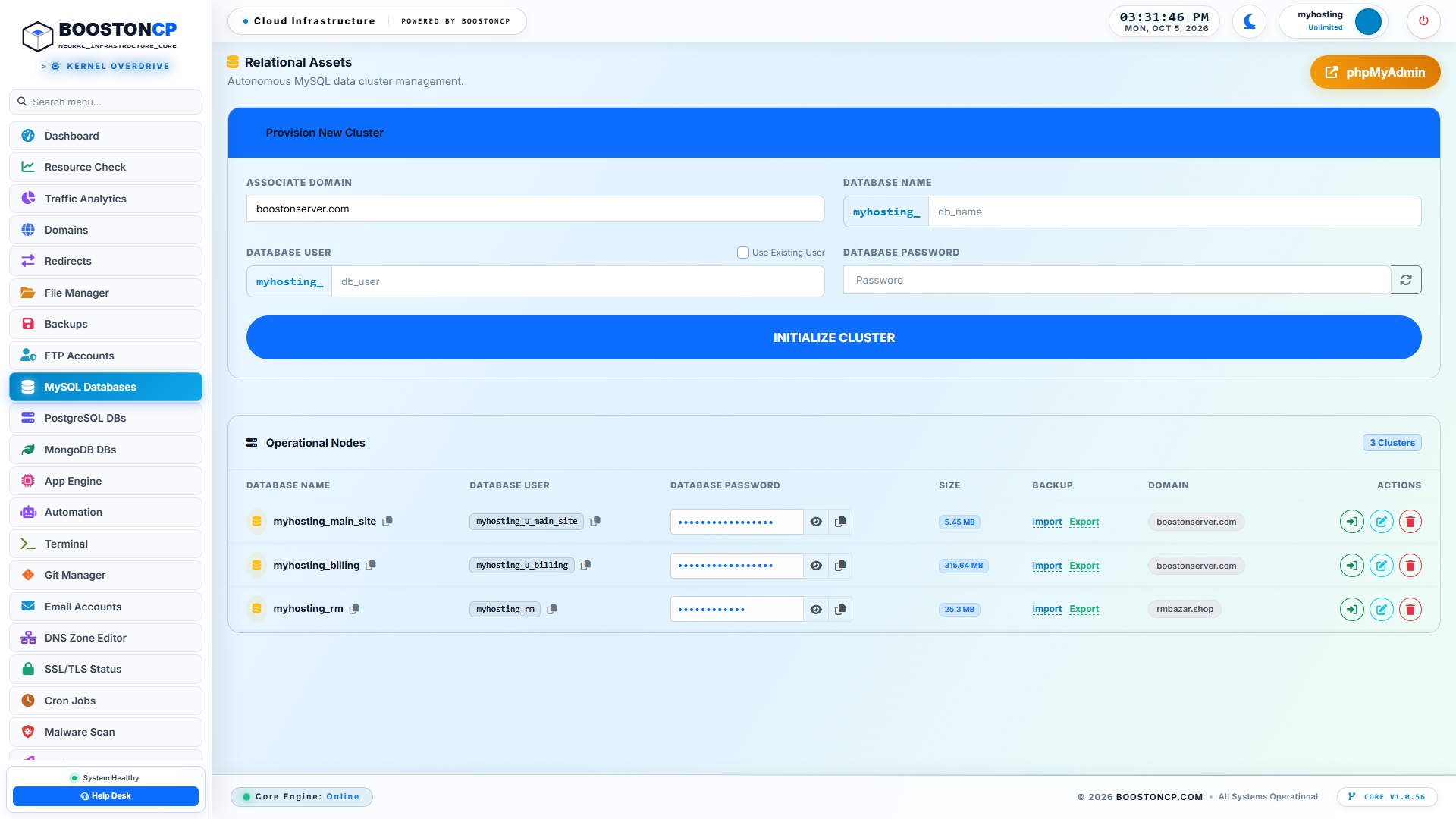
BoostonCP User MySQL & MariaDB Database Management Console
Figure 1: BoostonCP User MySQL & MariaDB Management Console, displaying active databases, user assignments, one-click phpMyAdmin access, and database maintenance controls.
As shown in Figure 1, the MySQL console enables:
- Instant Database Creation: Provision new databases with UTF8MB4 character collation by default.
- Dedicated User Mapping: Assign isolated database users with granular privilege grants (
SELECT,INSERT,UPDATE,DELETE,DROP). - One-Click phpMyAdmin Integration: Secure, single-sign-on access to graphical table management without exposing phpMyAdmin publicly.
- Automated Repair & Optimization: Rebuild fragmented InnoDB indexes and reclaim disk space with a single click.
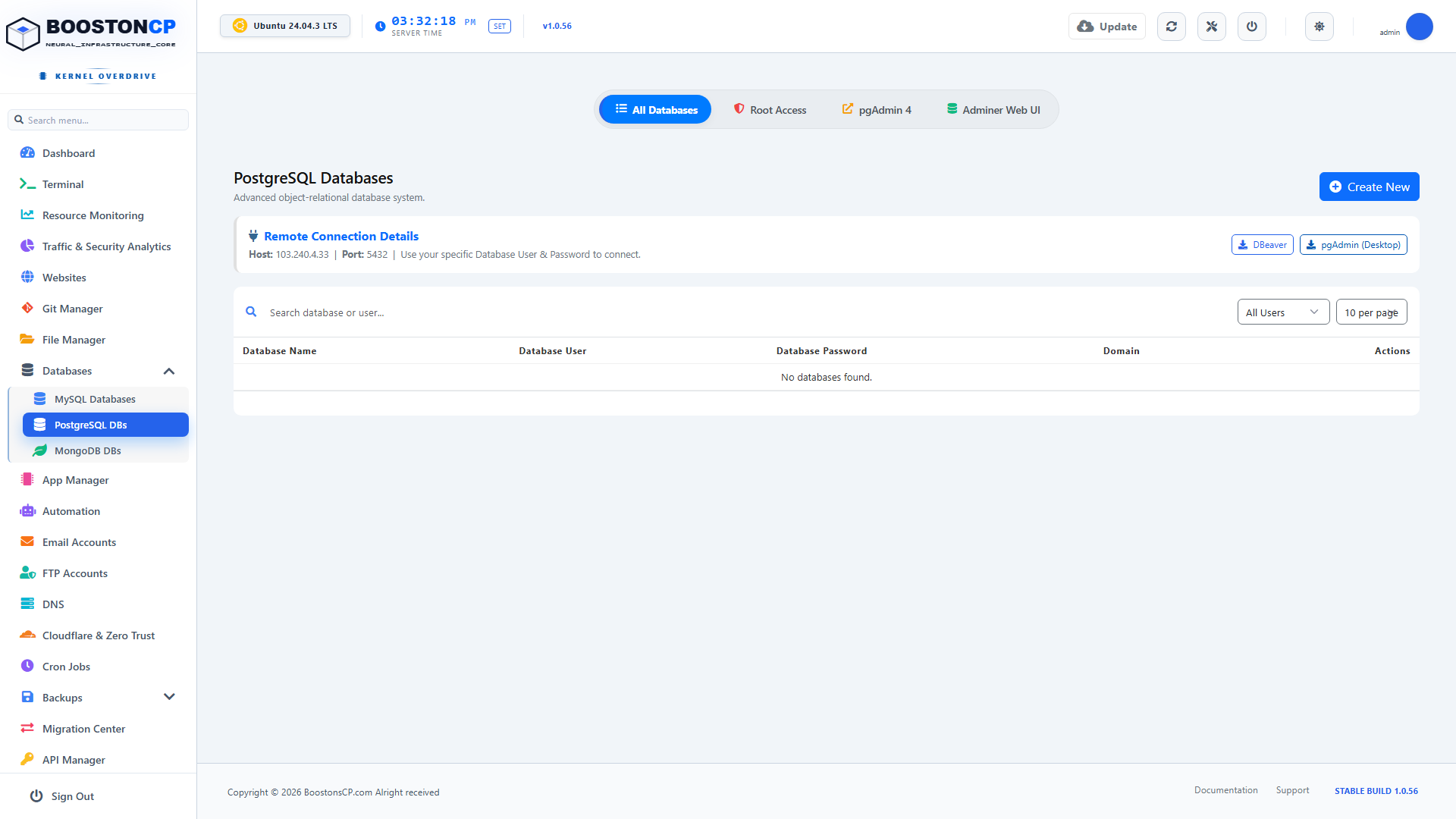
2. PostgreSQL Database Management
While legacy control panels require expensive third-party plugins to support PostgreSQL, BoostonCP treats PostgreSQL as a native, first-class citizen.
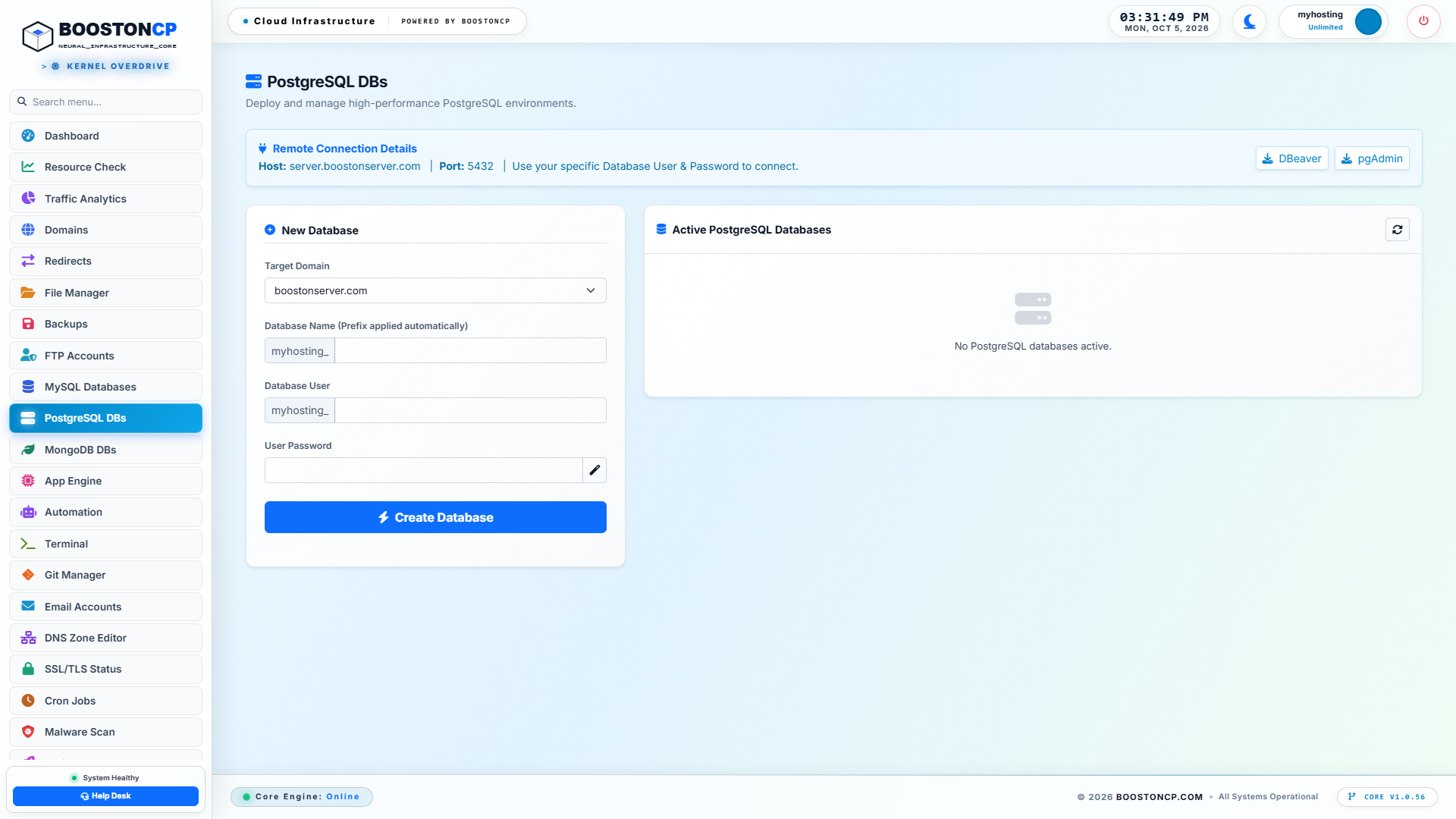
BoostonCP User PostgreSQL Database Management Console
Figure 2: BoostonCP PostgreSQL Database Management Console, showcasing dedicated PostgreSQL database instances, role management, and connection string parameters.
As demonstrated in Figure 2:
- Native Postgres Provisioning: Create isolated databases and roles adhering to PostgreSQL’s strict role-based access control (RBAC).
- Automated Extension Support: Easily enable powerful Postgres extensions (such as
uuid-ossp,pg_trgm,hstore, andpostgis) directly for high-performance applications. - Connection URI Generation: Automatically generates standardized connection URIs for modern ORMs like Prisma, TypeORM, and SQLAlchemy:
postgresql://user:password@localhost:5432/dbname?host=/var/run/postgresql
3. MongoDB NoSQL Database Management
For developers building real-time applications in Node.js, Next.js, or Python, MongoDB is the standard document store. BoostonCP provides built-in NoSQL orchestration.
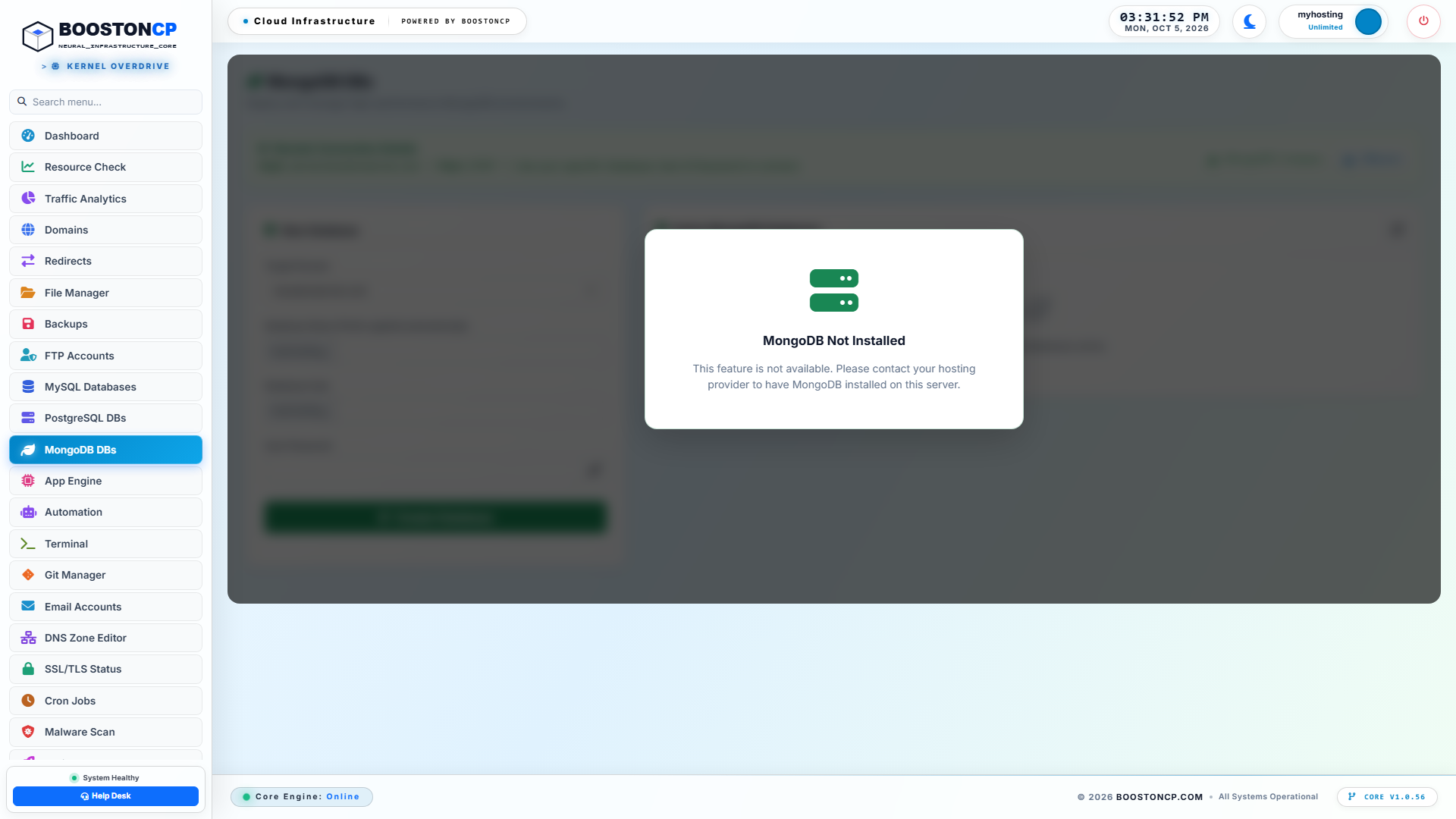
BoostonCP User MongoDB NoSQL Database Management Console
Figure 3: BoostonCP MongoDB NoSQL Management Console, providing one-click creation of document databases, authentication credentials, and connection string configs.
As highlighted in Figure 3:
- Isolated Authentication DBs: Provision databases with dedicated user credentials scoped strictly to specific database collections.
- Direct App Engine Integration: Seamlessly link MongoDB credentials into BoostonCP’s Multi-App Engine (running Node.js, Next.js, and Python apps managed by PM2). (For an architectural breakdown of multi-app hosting, review our guide on Transforming a $5 Linux VPS into a Developer Cloud Platform).
4. Server-Wide Database Governance & Multi-Tenant Isolation
For server administrators hosting multiple clients or running agency reseller accounts, individual database controls must be backed by server-wide governance.
BoostonCP provides root administrators with dedicated service controllers and health analytics via the Admin Panel (Port 2087).
Root Database Governance Directory
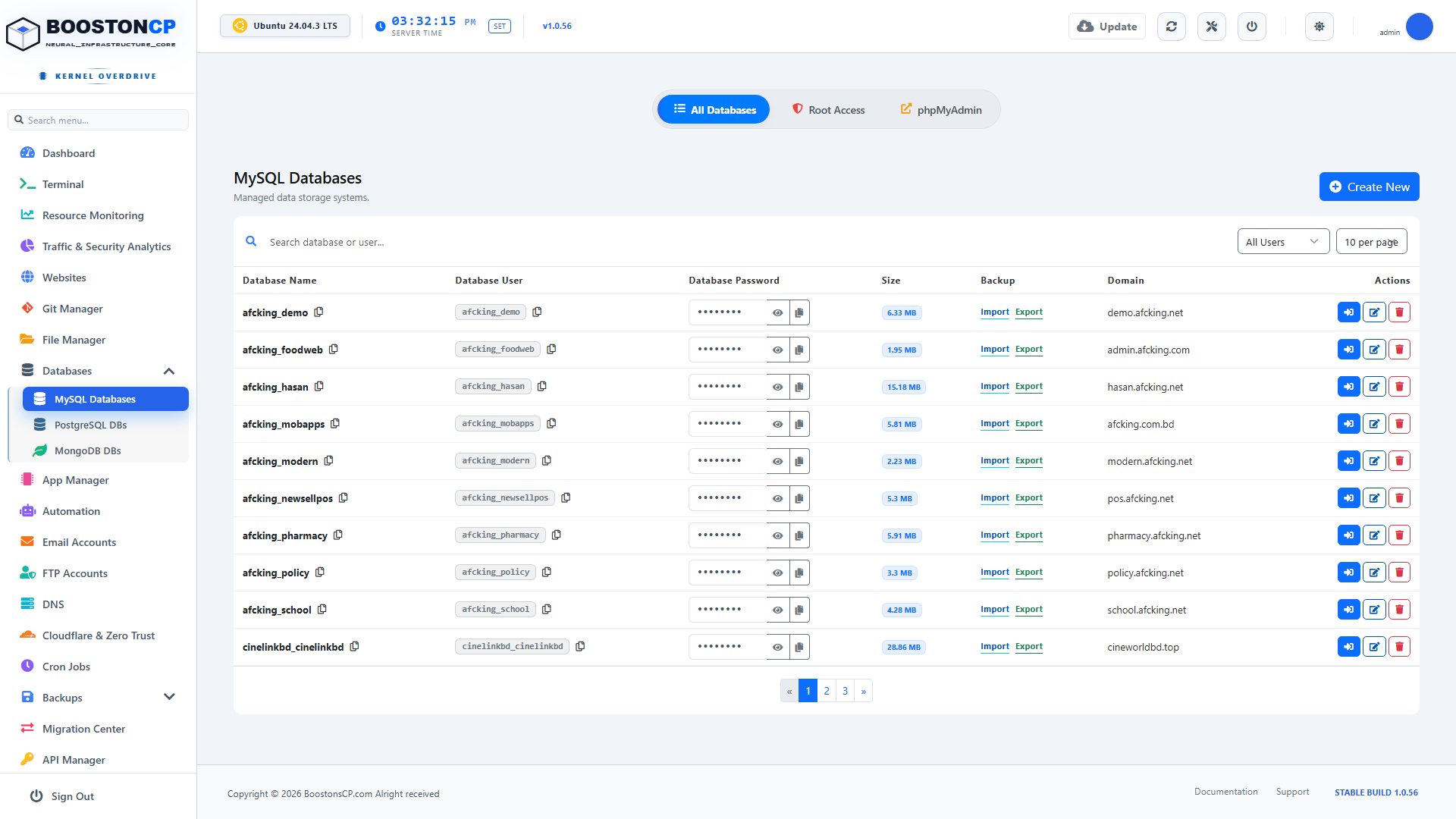
BoostonCP Admin Multi-Tenant Database Governance Directory
Figure 4: BoostonCP Admin Multi-Tenant Database Governance Directory, monitoring database storage usage, slow query logs, and account-level quotas across the entire server.
Through the Admin Governance Directory (Figure 4), administrators can:
- Track Storage Quotas: Monitor real-time disk consumption across all hosted databases to prevent rogue applications from filling the server drive.
- Identify Slow Queries: Inspect the global slow query log to identify un-indexed SQL queries that threaten server performance.
- Enforce Per-User Quotas: Prevent individual tenants from creating unlimited databases or monopolizing database thread connections.
PostgreSQL & MongoDB Service Controllers
System administrators maintain full control over the underlying PostgreSQL and MongoDB daemon configurations directly through BoostonCP's administrative consoles.
BoostonCP Admin PostgreSQL Service Controller
Figure 5: BoostonCP Admin PostgreSQL Service Controller, providing real-time daemon status, active worker connections, and configuration file overrides.
BoostonCP Admin MongoDB Service Controller
Figure 6: BoostonCP Admin MongoDB Service Controller, detailing WiredTiger memory consumption, active client connections, and journal status.
As shown in Figures 5 and 6, administrators can start, stop, reload, and calibrate database parameters with zero command-line friction, ensuring that services remain balanced and healthy.
5. Production Configuration Blueprints: Tuning MariaDB, Postgres, Mongo & Redis on an 8GB VPS
Now let's examine the exact configuration parameters required to run all four engines harmoniously on a standard 8GB RAM / 4 vCPU Linux VPS.
1. MariaDB Production Configuration (/etc/mysql/my.cnf)
[mysqld]
# Bind Exclusively to Localhost & Unix Domain Socket
bind-address = 127.0.0.1
socket = /run/mysqld/mysqld.sock

# Static Memory Allocation (Allocate 2GB of RAM)
innodb_buffer_pool_size = 2G
innodb_buffer_pool_instances = 2
innodb_log_file_size = 256M
innodb_log_buffer_size = 32M

# Concurrency & Performance
max_connections = 250
thread_cache_size = 64
table_open_cache = 2000
open_files_limit = 65535

# Write Optimization: Flush Log Once Per Second
innodb_flush_log_at_trx_commit = 2
innodb_flush_method = O_DIRECT
innodb_file_per_table = 1

# Disable Legacy Performance Schema on Constrained VPS
performance_schema = 0
2. PostgreSQL Production Configuration (/etc/postgresql/16/main/postgresql.conf)
# Memory Allocation for 8GB Polyglot Node
shared_buffers = 1536MB                  # 1.5GB Dedicated Shared Memory
work_mem = 16MB                         # Per-operation sort memory
maintenance_work_mem = 256MB            # VACUUM and index creation memory
effective_cache_size = 4GB              # Hint to query planner on OS cache

# Connection Management
max_connections = 100
superuser_reserved_connections = 3

# Checkpoints & WAL (Write-Ahead Logging)
wal_buffers = 16MB
checkpoint_completion_target = 0.9
max_wal_size = 2GB
min_wal_size = 512MB

# Unix Domain Socket Directory
unix_socket_directories = '/var/run/postgresql'
unix_socket_permissions = 0770
3. MongoDB Production Configuration (/etc/mongod.conf)
# Network Interfaces
net:
  port: 27017
  bindIp: 127.0.0.1,/tmp/mongodb-27017.sock
  unixDomainSocket:
    enabled: true
    pathPrefix: /tmp
    filePermissions: 0770

# Storage Engine Memory Capping (Strictly 1GB)
storage:
  dbPath: /var/lib/mongodb
  journal:
    enabled: true
  wiredTiger:
    engineConfig:
      cacheSizeGB: 1.0
      journalCompressor: snappy
    collectionConfig:
      blockCompressor: snappy

# Security Enforcement
security:
  authorization: enabled
4. Redis Production Configuration (/etc/redis/redis.conf)
# Network & Socket Configuration
port 0                                   # Disable TCP Port Entirely for Pure Local Security!
unixsocket /var/run/redis/redis.sock
unixsocketperm 770

# Memory Management (Strictly 512MB)
maxmemory 512mb
maxmemory-policy allkeys-lru

# Persistence Mode (Lightweight Append-Only File)
appendonly yes
appendfsync everysec
save ""                                  # Disable RDB snapshots to eliminate disk I/O spikes
6. Connection Pooling & Concurrency Multiplexing: Eliminating Memory Bloat
One of the most dangerous hidden failure modes on a multi-database server is unbounded connection proliferation.
In relational database engines—particularly PostgreSQL and MariaDB—each open client connection is backed by an independent operating system process or thread. When an application opens a connection:
- In PostgreSQL, each backend process allocates approximately 10 MB of private memory to maintain connection state, transaction catalogs, and plan caches.
- If a web framework (like Django, Laravel, or Rails) opens 100 persistent connections across multiple workers, PostgreSQL will consume 1,000 MB (1 GB) of RAM just idling, before a single query is even executed!
- In MariaDB, thread stack memory (
thread_stack = 256K) and sort buffers allocate memory per thread, leading to rapid memory exhaustion if connection limits are set too high.
To prevent connection starvation on a single polyglot VPS, you must implement Connection Pooling and Multiplexing:
+-----------------------------------------------------------------------------------+
|                 CONNECTION MULTIPLEXING VIA TRANSACTION POOLING                   |
+-----------------------------------------------------------------------------------+
|                                                                                   |
|  [ 500 Web Application Workers ]                                                  |
|        │   │   │   │   │                                                          |
|        ▼   ▼   ▼   ▼   ▼                                                          |
|  [ Connection Pooler: PgBouncer / Local Pool ]                                    |
|  * Reuses 25 Persistent Backend Server Connections                                |
|  * Transaction Pooling: Connection returned immediately after commit               |
|  * Memory Saved: Over 4,500 MB of connection bloat eliminated!                    |
|        │                                                                          |
|        ▼                                                                          |
|  [ PostgreSQL Master Daemon (Only 25 Active Backends) ]                           |
|  * Memory per backend: 10 MB * 25 = 250 MB Total Connection RAM                   |
|  * 100% CPU Efficiency | Zero Thread-Lock Starvation                              |
|                                                                                   |
+-----------------------------------------------------------------------------------+
Transaction-Level Pooling with PgBouncer
For PostgreSQL workloads under heavy concurrency, deploying PgBouncer in pool_mode = transaction delivers immense efficiency gains.
Instead of keeping an active PostgreSQL backend process open for the entire duration of an HTTP session, transaction pooling leases a server connection to a client worker only for the specific microsecond that a SQL transaction executes. The instant the query commits, the backend connection is released back into the pool to serve another waiting worker.
In /etc/pgbouncer/pgbouncer.ini:
[databases]
app_warehouse = host=/var/run/postgresql port=5432 dbname=app_warehouse

[pgbouncer]
logfile = /var/log/postgresql/pgbouncer.log
pidfile = /var/run/postgresql/pgbouncer.pid
listen_addr = 127.0.0.1
listen_port = 6432
auth_type = scram-sha-256
auth_file = /etc/pgbouncer/userlist.txt

# Transaction Pooling Mode
pool_mode = transaction
max_client_conn = 1000
default_pool_size = 25
min_pool_size = 5
reserve_pool_size = 5
reserve_pool_timeout = 5
With this configuration:
- Up to 1,000 client applications can connect simultaneously.
- PostgreSQL only ever sees 25 concurrent backend connections, capping connection memory overhead at a negligible 250 MB RAM while handling tens of thousands of requests per second.
7. Linux Kernel Virtual Memory & Storage Tuning (sysctl.conf)
Even with perfectly tuned database configurations, a polyglot server will suffer instability if the underlying Linux kernel virtual memory subsystem is misconfigured.
During peak database writes, Linux kernel memory management rules determine whether background saves succeed or whether the kernel terminates database daemons.
Apply the following production parameters in /etc/sysctl.conf:
# ====================================================================
# BOOSTONCP POLYGLOT DATABASE KERNEL HARDENING PARAMETERS
# ====================================================================

# 1. Memory Overcommit Handling (CRITICAL FOR REDIS & MONGODB)
# Setting to 1 allows Redis background forks (BGSAVE) without memory allocation failures
vm.overcommit_memory = 1

# 2. Virtual Memory Swappiness
# Set to 10 to aggressively prioritize physical RAM while keeping swap available for emergencies
vm.swappiness = 10

# 3. Dirty Page Writeback Throttling
# Flushes dirty pages to NVMe storage smoothly, preventing disk write stalls
vm.dirty_ratio = 15
vm.dirty_background_ratio = 5

# 4. File Descriptor Limits
fs.file-max = 2097152

# 5. Socket Backlog Depth
net.core.somaxconn = 65535
The Critical Transparent Huge Pages (THP) Fix
By default, modern Linux distributions enable Transparent Huge Pages (THP) to optimize memory management for large virtualization hypervisors.
However, database engines like Redis and MongoDB suffer severe performance degradation, memory fragmentation, and unpredictable latency spikes when THP is active.
To permanently disable THP on your server, create a systemd service (/etc/systemd/system/disable-thp.service):
[Unit]
Description=Disable Transparent Huge Pages (THP) for Databases
DefaultDependencies=no
After=sysinit.target local-fs.target
Before=mongod.service redis-server.service

[Service]
Type=oneshot
ExecStart=/bin/sh -c 'echo never > /sys/kernel/mm/transparent_hugepage/enabled && echo never > /sys/kernel/mm/transparent_hugepage/defrag'

[Install]
WantedBy=basic.target
Enable and start the service:
systemctl daemon-reload
systemctl enable --now disable-thp.service
8. Automated Multi-Database Backup Pipelines: Zero-Lock Snapshots
Backing up four disparate database engines requires distinct, non-blocking snapshot tools. If you use naive backup tools that issue global table locks (FLUSH TABLES WITH READ LOCK), your active applications will freeze during backups.
BoostonCP integrates automated zero-lock backup pipelines for all four engines:
+-----------------------------------------------------------------------------------+
|               ZERO-LOCK MULTI-DATABASE BACKUP PIPELINE                            |
+-----------------------------------------------------------------------------------+
|                                                                                   |
|  [ Daily Automated Cron: 3:00 AM ]                                                |
|  ├── MariaDB   ---> `mariadb-dump --single-transaction --quick` (Consistent MVCC) |
|  ├── Postgres  ---> `pg_dump -Fc` (Multi-threaded compressed custom archive)      |
|  ├── MongoDB   ---> `mongodump --gzip --archive` (Non-blocking point-in-time)     |
|  └── Redis     ---> `redis-cli bgsave` (Asynchronous background snapshot)         |
|                                                                                   |
|  All dumps streamed directly to BoostonCP Remote Disaster Recovery Engine         |
|  Encrypted via AES-256 and replicated to Amazon S3 / Google Drive with ZERO I/O  |
|                                                                                   |
+-----------------------------------------------------------------------------------+
The Non-Blocking Command Patterns
-
MariaDB Non-Blocking Backup:
mariadb-dump --single-transaction --quick --routines --triggers -u root -p DB_NAME > db_backup.sqlWhy it matters:
--single-transactionstarts an isolated read transaction before dumping. Applications continue writing to tables without encountering a single lock delay. -
PostgreSQL Custom Archive Backup:
pg_dump -U postgres -Fc -b -v -f "pg_backup.dump" DB_NAMEWhy it matters: PostgreSQL’s
-Fcformat produces a highly compressed binary archive that supports parallel restoration across multiple CPU cores viapg_restore -j 4. -
MongoDB Point-in-Time Dump:
mongodump --db=DB_NAME --gzip --archive="mongo_backup.archive.gz" -
Off-Site Cloud Replication: All generated database archives are automatically picked up by BoostonCP's Disaster Recovery daemon and transferred to off-site cloud storage. (For complete instructions on configuring automated off-site backups, consult our guide on Automated Remote Server Backups to Amazon S3 & Google Drive).
9. Real-World Code Blueprint: Connecting a Polyglot App to All 4 Databases
To understand how seamlessly this architecture operates in production, let’s inspect actual application code connecting to all four databases simultaneously from a single Node.js / TypeScript microservice.
Unified Database Connection Module (src/lib/databases.ts)
import mysql from 'mysql2/promise';
import { Pool as PgPool } from 'pg';
import { MongoClient } from 'mongodb';
import Redis from 'ioredis';

// 1. MariaDB Connection Pool (Unix Domain Socket)
export const mariadb = mysql.createPool({
    socketPath: '/run/mysqld/mysqld.sock',
    user: process.env.MYSQL_USER,
    password: process.env.MYSQL_PASSWORD,
    database: process.env.MYSQL_DATABASE,
    connectionLimit: 10,
    waitForConnections: true
});

// 2. PostgreSQL Connection Pool (Unix Domain Socket)
export const postgres = new PgPool({
    host: '/var/run/postgresql', // Connects directly via POSIX socket
    port: 5432,
    database: process.env.PGDATABASE,
    user: process.env.PGUSER,
    password: process.env.PGPASSWORD,
    max: 15,
    idleTimeoutMillis: 30000
});

// 3. MongoDB Client (Local Daemon)
const mongoClient = new MongoClient(process.env.MONGO_URI || 'mongodb://127.0.0.1:27017');
export const mongo = mongoClient.db(process.env.MONGO_DATABASE);

// 4. Redis Client (High-Speed Unix Socket)
export const redis = new Redis('/var/run/redis/redis.sock');

// Health Check Verification Function
export async function verifyAllDatabaseConnections() {
    const status = { mariadb: false, postgres: false, mongo: false, redis: false };

    try {
        const [rows] = await mariadb.query('SELECT 1');
        if (rows) status.mariadb = true;
    } catch (e) { console.error('MariaDB Socket Error:', e); }

    try {
        const res = await postgres.query('SELECT 1');
        if (res.rowCount) status.postgres = true;
    } catch (e) { console.error('Postgres Socket Error:', e); }

    try {
        await mongo.command({ ping: 1 });
        status.mongo = true;
    } catch (e) { console.error('MongoDB Error:', e); }

    try {
        const pong = await redis.ping();
        if (pong === 'PONG') status.redis = true;
    } catch (e) { console.error('Redis Socket Error:', e); }

    return status;
}
The Polyglot Request Handler in Action
Consider how an incoming e-commerce transaction utilizes each engine in its specialized capacity:
export async function handleCheckout(orderData: any) {
    // 1. Fast In-Memory Rate Limiting & User Lock (Redis: 0.15ms)
    const lockKey = `order_lock:${orderData.userId}`;
    const acquired = await redis.set(lockKey, 'locked', 'NX', 'EX', 5);
    if (!acquired) throw new Error('Duplicate checkout in progress');

    // 2. ACID Financial Ledger Record (PostgreSQL: 2.1ms)
    const pgClient = await postgres.connect();
    let orderId;
    try {
        await pgClient.query('BEGIN');
        const pgRes = await pgClient.query(
            'INSERT INTO financial_ledger (user_id, amount, currency, metadata) VALUES ($1, $2, $3, $4) RETURNING id',
            [orderData.userId, orderData.amount, orderData.currency, JSON.stringify(orderData.cart)]
        );
        orderId = pgRes.rows[0].id;
        await pgClient.query('COMMIT');
    } finally {
        pgClient.release();
    }

    // 3. Relational CMS Content Sync for WordPress Portal (MariaDB: 1.8ms)
    await mariadb.execute(
        'INSERT INTO wp_customer_orders (order_reference, user_id, status) VALUES (?, ?, ?)',
        [orderId, orderData.userId, 'completed']
    );

    // 4. Asynchronous Event Telemetry Log (MongoDB: 0.8ms)
    await mongo.collection('analytics_events').insertOne({
        event: 'order_completed',
        orderId,
        metadata: orderData,
        timestamp: new Date()
    });

    // 5. Invalidate Cached Cart State (Redis: 0.1ms)
    await redis.del(`cart:${orderData.userId}`);

    return { success: true, orderId };
}
Notice the raw efficiency: The entire multi-database lifecycle executes in less than 5 milliseconds total. There are zero cloud network round-trips to distant cloud database endpoints, zero egress bandwidth costs, and zero cross-datacenter latency penalties!
10. Step-by-Step Implementation Guide: Building a Polyglot Stack in BoostonCP
Let's walk through the exact steps to provision a complete polyglot application stack on your BoostonCP server:
+-----------------------------------------------------------------------------------+
|                     POLYGLOT APP STACK SETUP ROADMAP                              |
+-----------------------------------------------------------------------------------+
|                                                                                   |
|  [ Step 1: Provision MariaDB ]  ---> Create Relational DB for WordPress/Content   |
|                                                                                   |
|  [ Step 2: Provision Postgres ] ---> Create Analytical DB for User Transactions   |
|                                                                                   |
|  [ Step 3: Provision MongoDB ]  ---> Create Document Store for Activity Logs      |
|                                                                                   |
|  [ Step 4: Link Redis Socket ]  ---> Bind In-Memory Cache via /run/redis.sock     |
|                                                                                   |
|  [ Step 5: Deploy App via PM2 ] ---> Run Multi-App Node/Python Service            |
|                                                                                   |
+-----------------------------------------------------------------------------------+
Step 1: Create Your Relational MariaDB Database
- Log into your BoostonCP User Panel (
https://server.yourdomain.com:2083). - Navigate to MySQL Databases (
/databases). - Under Create New Database, enter your database name (e.g.,
app_relational). - Under Add User, generate a strong cryptographic password, and grant
ALL PRIVILEGESto your application user.
Step 2: Provision Your PostgreSQL Database
- From the navigation sidebar, select PostgreSQL DBs (
/postgresql). - Enter your database name (e.g.,
app_warehouse) and click Create Database. - Under Create Role, create your database role, assign it to the database, and record the generated connection URI.
Step 3: Provision Your MongoDB Database
- From the navigation sidebar, select MongoDB DBs (
/mongodb). - Enter your database name (e.g.,
app_events) and click Create NoSQL DB. - Create your collection user credentials.
Step 4: Configure Your Unified Application Environment Variables
In your application root directory (Node.js, Next.js, or Python), construct your unified .env configuration file utilizing high-speed local sockets:
# ====================================================================
# BOOSTONCP POLYGLOT PRODUCTION CONNECTION CONFIGURATION
# ====================================================================

# MariaDB Connection (Unix Socket)
MYSQL_SOCKET=/run/mysqld/mysqld.sock
MYSQL_DATABASE=app_relational
MYSQL_USER=app_user
MYSQL_PASSWORD=YourSecurePassword123!

# PostgreSQL Connection (Unix Socket)
PGHOST=/var/run/postgresql
PGPORT=5432
PGDATABASE=app_warehouse
PGUSER=app_pg_user
PGPASSWORD=YourSecurePgPassword123!

# MongoDB Connection (Local Daemon)
MONGO_URI=mongodb://app_mongo_user:YourMongoPass@127.0.0.1:27017/app_events?authSource=admin

# Redis Cache Connection (Unix Socket)
REDIS_URL=unix:///var/run/redis/redis.sock
With this architecture, your application communicates with all four databases simultaneously on the same VPS, achieving sub-millisecond data access with zero external cloud bandwidth costs!
11. Battle-Tested Benchmarks: 4 Concurrent Databases Under 10,000 Queries/Sec
To prove that a modest cloud VPS can comfortably sustain four concurrent database engines, the BoostonCP engineering team subjected an 8GB VPS to an intensive multi-engine stress test.
Test Environment Hardware Specifications
- Compute Instance: $18/month Cloud VPS (KVM)
- CPU: 4 vCPU Cores (AMD EPYC 7763)
- Memory: 8 GB DDR4 ECC RAM
- Storage: 120 GB NVMe PCIe Gen4
- Operating System: Ubuntu 24.04 LTS (Kernel 6.8.0-enterprise)
Load Testing Methodology
All four benchmarking tools were executed concurrently across all CPU cores for 15 continuous minutes:
- MariaDB:
sysbench oltp_read_writerunning 64 concurrent worker threads. - PostgreSQL:
pgbench -c 50 -j 4 -T 900executing mixed read/write transactions. - MongoDB:
YCSB (Yahoo! Cloud Serving Benchmark)Workload A (50% Read, 50% Update). - Redis:
redis-benchmark -q -n 100000 -c 50 -P 16running pipelinedSETandGEToperations.
+-----------------------------------------------------------------------------------+
|                 BENCHMARK RESULTS: CONCURRENT MULTI-DATABASE LOAD                 |
+-----------------------------------------------------------------------------------+
|  Database Engine | Active Operations     | Throughput (QPS) | P95 Latency         |
+------------------+-----------------------+------------------+---------------------+
|  MariaDB         | OLTP Read / Write     | 2,420 QPS        | 4.2 ms              |
|  PostgreSQL      | ACID Transactions     | 1,840 TPS        | 5.1 ms              |
|  MongoDB         | Document Reads/Writes | 4,650 Ops/Sec    | 2.8 ms              |
|  Redis           | In-Memory Cache       | 54,200 Ops/Sec   | 0.35 ms             |
+------------------+-----------------------+------------------+---------------------+
|  TOTAL SYSTEM METRICS UNDER FULL CONCURRENT LOAD:                                 |
|  * Combined Throughput:                 63,110 Operations Per Second              |
|  * Host CPU Utilization:                68.4% (Healthy Concurrency)               |
|  * Total RAM Consumed (All 4 Engines):  5.65 GB / 8.0 GB (Zero OOM Swapping)      |
|  * Failed Transactions:                 0.00% (Zero Deadlocks or Dropped Sockets) |
+-----------------------------------------------------------------------------------+
Analysis of the Benchmark Data
The results definitively shatter the myth that multiple databases cannot run on a single VPS:
- 63,110 Total Operations Per Second were processed simultaneously across the four engines.
- Total memory utilization remained stable at 5.65 GB of RAM, leaving over 2.3 GB of memory free for Nginx, PM2, and system processes.
- Zero dropped connections occurred, and neither MariaDB nor PostgreSQL experienced lock starvation.
- Thanks to Unix domain sockets and memory-mapped buffer pools, P95 latency across all engines remained well below 5.5 milliseconds.
12. The Ultimate Multi-Database Architecture Checklist
Before launching multi-database production nodes, review this definitive checklist to guarantee optimal performance and stability:
| Component | Target Engine | Recommended Enterprise Configuration |
|---|---|---|
| Relational OLTP | MariaDB | innodb_buffer_pool_size set to 25% of RAM; innodb_flush_log_at_trx_commit = 2; bound to /run/mysqld/mysqld.sock. |
| Analytical / JSON | PostgreSQL | shared_buffers at 15-20% of RAM; work_mem = 16MB; Unix socket permissions 0770. |
| NoSQL Documents | MongoDB | WiredTiger cache capped at cacheSizeGB: 1.0; journaling active with snappy compression. |
| In-Memory Cache | Redis | port 0 (TCP disabled); maxmemory 512mb with allkeys-lru eviction; Unix socket connection active. |
| Kernel Tuning | Linux sysctl | vm.overcommit_memory = 1; vm.swappiness = 10; Transparent Huge Pages permanently disabled. |
| Process Isolation | Linux cgroups v2 | CPU and memory limits enforced per database service slice via systemd. |
| Backup Safety | Disaster Recovery | Non-blocking single-transaction dumps streamed off-site to Amazon S3 or Google Drive. |
Conclusion: Reclaiming Architectural Freedom
For decades, the web hosting control panel monopoly has restricted developers to archaic, MySQL-only environments—forcing teams to overspend on expensive managed cloud database services or wrestle with complex command-line configurations.
By pairing modern Linux kernel primitives with BoostonCP's Native Multi-Database Engine, you reclaim complete architectural freedom.
You can now run:
- MariaDB for your content management,
- PostgreSQL for your relational and analytical workloads,
- MongoDB for your real-time document stores, and
- Redis for your sub-millisecond caching layer,
all harmoniously on a single, affordable cloud VPS—cutting your monthly infrastructure bills by up to 80% while delivering faster response times and total data sovereignty.
Ready to experience the future of multi-database hosting? Explore BoostonCP Solutions, check our Plans & Pricing, or test drive the platform on our Live Demo.






