
Executive Summary
Migrating thousands of accounts from a legacy panel like cPanel to a modern infrastructure is traditionally a nightmare of massive DNS downtime, corrupted databases, and nervous SysAdmins. The BoostonCP Migration Center eliminates this chaos. Using specialized API adapters and raw rsync block-transfers over SSH, BoostonCP can pull entire WHM servers seamlessly. This guide covers the deep technical architecture of the BoostonCP migration engine and provides an exhaustive blueprint to execute a flawless, zero-downtime migration.
If you are a SysAdmin, a Web Hosting CEO, or a DevOps engineer, you are intimately familiar with the anxiety of a server migration. It is 2:00 AM on a Sunday. You are staring at a legacy WHM dashboard, preparing to move 500 shared hosting accounts to a new server. You click "Transfer," and the nightmare begins.
The source server starts packing massive .tar.gz files, immediately spiking the CPU to 100%. Sites go offline. The network interface bottlenecks trying to push 300GB of compressed data. Hours later, the destination server runs out of disk space during extraction, crashing the entire process. This archaic, monolithic approach to data transfer is exactly why hosting providers dread trying to migrate from cpanel.
To solve this crisis, you need more than just a basic FTP script. You need a highly sophisticated, OS-level node synchronizer. In 2026, dealing with corrupted `.htaccess` files and mismatched MySQL collations during a cpanel to cwp migration is unacceptable. Let's dive deep into why BoostonCP's native migration architecture is the ultimate free cpanel alternative and how it engineers flawless hardware-level transfers.
The Archaic Nature of the "Legacy Transfer"
To understand why the BoostonCP Migration Center is revolutionary, we must look at how legacy tools operate. Traditional migration tools rely heavily on packaging. They assume the only way to move an account is to compress the entire public_html, database, and email directory into one giant archive.
This creates a massive "Double Disk" paradox. If a user has a 50GB account, the source server needs an extra 50GB of free space just to create the backup archive. Then, the destination server needs 50GB to receive the archive, plus another 50GB to extract it. If you are migrating a highly dense server, you will inevitably run out of space and trigger a kernel panic.
Furthermore, legacy panels do not offer native conversion adapters. When you attempt a cpanel to cwp migration, you often find yourself manually reconstructing DNS zones or dealing with broken PHP-FPM pools because the destination panel cannot parse the legacy cPanel metadata accurately.
The Native Solution: rsync Block-Transfers and OS-Level Orchestration
BoostonCP was engineered from day one for the modern Linux era. Recognizing the fatal flaws of archive-based transfers, BoostonCP completely eliminates the need for .tar.gz packing during migrations. The answer lies directly in the Linux Kernel and the raw power of rsync.
Instead of copying files, BoostonCP executes an SSH orchestrator that reads cPanel's proprietary formats (like /var/cpanel/users/ metadata) and seamlessly converts them into native BoostonCP environments. Then, it utilizes rsync block-level synchronization. This transfers data efficiently over SSH, maintaining exact file permissions, UIDs, and GIDs without requiring a single byte of temporary disk space.
[+] Authenticating with WHM via Root SSH... SUCCESS
[+] Parsing cPanel user metadata... Found 42 accounts.
[+] Pre-flight disk check: 180GB available. Proceeding.
[i] Initiating rsync block-transfer for user 'hostcorp' (PID: 4921)
hostcorp/public_html/wp-content/uploads/2026/image.jpg
[+] rsync complete. Rebuilding isolated PHP-FPM pool... DONE.
How BoostonCP Engineers Ultimate Migration Safety
Moving away from legacy panels doesn't have to be a nightmare. Here is the technical breakdown of how BoostonCP's architecture protects your server natively during a massive data transfer.
1. Pre-Flight Disk Availability Poller
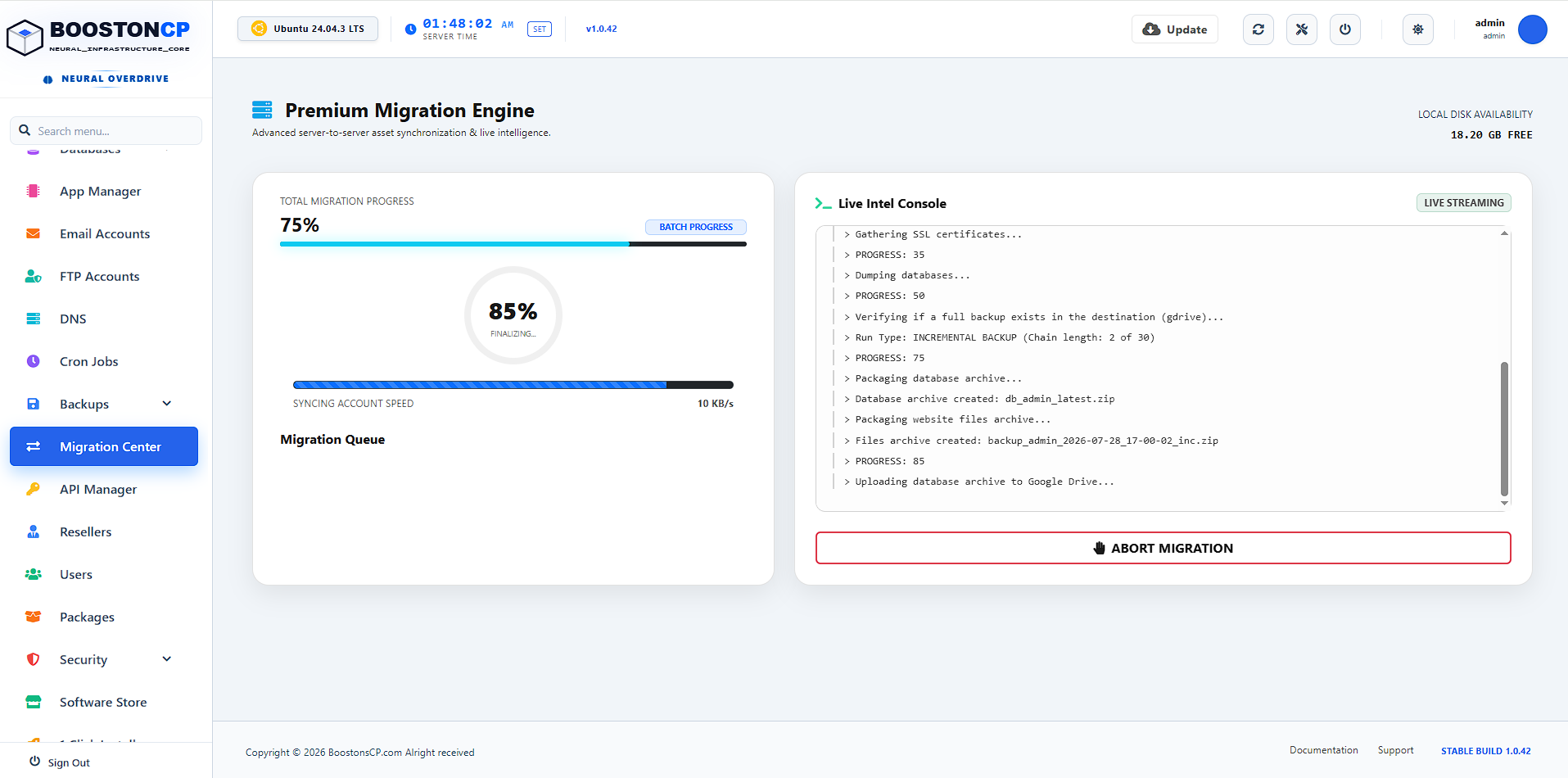
Before a single byte is transferred over the network, a real-time JavaScript poller (#local-disk-val) queries the underlying OS disk space of your BoostonCP server. If the destination server lacks the required headroom to safely receive the uncompressed cPanel accounts, the migration is blocked with a visual warning. This prevents catastrophic out-of-memory or out-of-disk crashes during large account imports.
2. Total Transparency: Live Console Streaming
One of the biggest hidden costs of migrating is the anxiety of a "hanging" progress bar. In traditional setups, you click 'Transfer' and stare at a spinning wheel for 4 hours, praying it hasn't crashed in the background.
BoostonCP eliminates this entirely by providing a custom-built Live Console Streaming window (`#live-console-premium`). This terminal window streams real-time SSH transfer logs, package installations, and rsync block-transfers directly to your browser. You can physically watch every single file as it moves, giving your SysAdmins absolute confidence in the process.
3. Preserving User Isolation with cgroups v2
On legacy systems, migrating an account often messes up Linux UID/GID ownership, causing endless "403 Forbidden" errors. BoostonCP's rsync implementation explicitly preserves metadata. But it goes a step further. Once imported, the user is immediately locked into their own cgroups v2 LVE slice.
This means the newly migrated account cannot consume more CPU or RAM than you have allocated in their package, perfectly mimicking CloudLinux isolation without the expensive OS licenses. If a hacked WordPress site is migrated over, it is instantly sandboxed by the Linux kernel scheduler.
4. Intelligent vHost and Webserver Switching
When BoostonCP imports a cPanel account, it doesn't just blindly copy files. It reads the source PHP version and dynamically provisions a matching, highly optimized PHP-FPM pool on the destination server.
Furthermore, thanks to BoostonCP's World's Only Domain-Level Webserver Switch, you can migrate an Apache-based cPanel site and instantly serve it via OpenLiteSpeed or Nginx on BoostonCP. The backend dynamically rewrites the legacy `.htaccess` rules into native Nginx parameters or serves them directly via OLS, with a single click in the UI.
5. Neural Database Auto-Recovery & Smart Matching
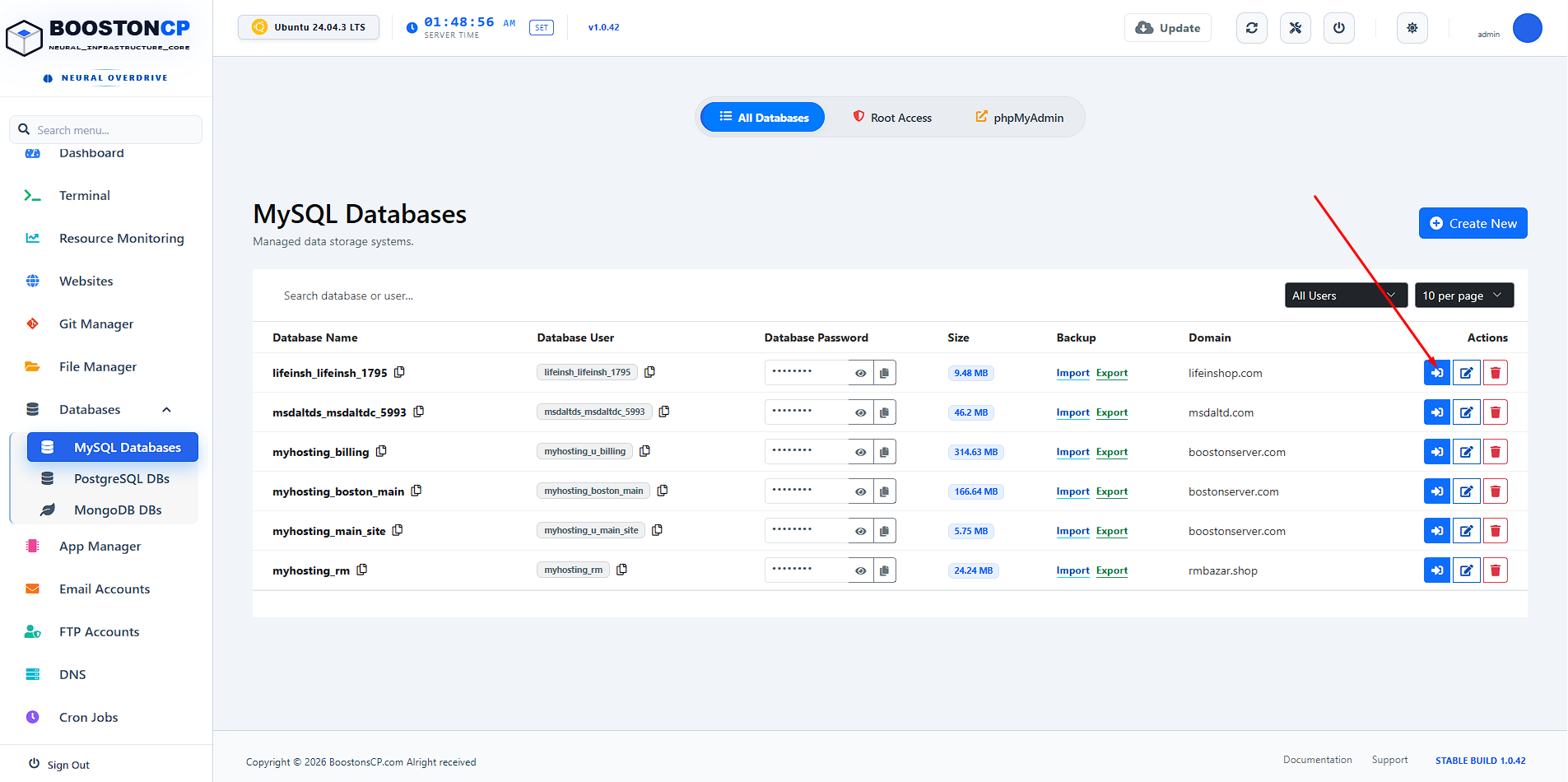
One of the most catastrophic failures during traditional migrations occurs when database passwords fail to transfer, breaking hundreds of WordPress installations instantly. BoostonCP introduces Neural Smart Match Mode to permanently solve this.
If the migration engine detects a missing MySQL password or user mapping from the cPanel source, it does not fail. Instead, it initiates a "Deep File Search". Within 15 seconds, BoostonCP recursively scans the user's newly migrated wp-config.php, .env, and .yaml files. It utilizes advanced regex to extract the raw DB_PASSWORD and DB_USER credentials directly from the application's source code, instantly recovering the lost credentials and recreating the database with the exact matching password. It then performs Config Discovery to automatically associate that specific database with its correct parent domain in the UI. This level of automated disaster recovery is entirely non-existent in CWP or Plesk.
Step-by-Step: Zero-Downtime cPanel Migration Guide
Do you want to see the power of the BoostonCP Migration Center in action? By following this precise blueprint, your clients won't even notice their websites have been moved.
- Lower the Source TTL: The key to zero downtime is DNS propagation. At least 48 hours prior, log into WHM and lower the TTL for all DNS zones to 300 seconds.
- Initiate the Sync: Log into BoostonCP, navigate to Migration Center, select cPanel/WHM, and enter the source root credentials. Select the accounts and click Start.
- Watch the Live Stream: Monitor the `#live-console-premium` window as BoostonCP pulls the data via rsync.
- The Delta Pass (Database Sync): Right before you change DNS, use the BoostonCP migration tool to re-run the sync for Databases Only. This takes only seconds and ensures the BoostonCP database is a 1:1 perfect mirror of the cPanel database at that exact moment, capturing any new WooCommerce orders or forum posts.
- The DNS Cutover: Update your Nameservers or A-records to the new BoostonCP IP. Because of the 300s TTL, traffic routes instantly. Zero downtime achieved.
The Data Comparison: Legacy Migration vs BoostonCP
| Feature Element | Standard cPanel / CWP Tools | BoostonCP Migration Center |
|---|---|---|
| Transfer Architecture | Compressed .tar.gz Archiving |
Native SSH rsync (Block-Level) |
| Disk Space Requirement | 2x to 3x data size required | Only exact size of data required |
| SysAdmin Visibility | Blind Background Process (Spinning Wheel) | Real-Time SSH Console Streaming |
| Database Reliability | Frequently drops passwords | Neural Smart DB Auto-Recovery |
| Pre-flight Safety Checks | None (Can cause kernel panic on full disk) | Yes (Live OS Disk Poller) |
| Post-Migration Isolation | Requires paid CloudLinux license | Native hardware-level cgroups v2 |
Conclusion: The End of the Migration Nightmare
The web hosting industry has evolved. For years, we accepted the high cost of third-party OS patches and the terror of manual migrations because we had no other choice. Today, the choice is clear. By leveraging specialized API adapters and raw Linux networking power, BoostonCP delivers flawless, zero-downtime migrations straight out of the box.
Stop paying exorbitant licensing fees for legacy panels. Upgrade your infrastructure to an architecture designed for the future.
Frequently Asked Questions (FAQ)
Can I migrate multiple cPanel accounts at once to BoostonCP?
Yes, the BoostonCP Migration Center allows you to execute massive bulk migrations. You can select specific individual accounts or choose to migrate the entire cPanel/WHM server in one automated batch using raw rsync block-transfers.
Does the migration tool cause downtime on the source cPanel server?
No. Because BoostonCP uses efficient rsync data synchronization instead of compressing massive archives, the CPU and I/O load on the source cPanel server remains extremely low. The migration happens silently with zero downtime.
How is BoostonCP better than a cPanel to CWP migration?
While migrating to CWP is common, BoostonCP offers a far superior native architecture. BoostonCP includes a Lifetime Free License, native cgroups v2 resource isolation, Neural DB recovery, and the World's Only Domain-Level Webserver Switch, making it the ultimate enterprise-grade alternative.
Will my databases and emails transfer automatically?
Absolutely. The BoostonCP Migration Center parses cPanel metadata to automatically recreate database users, import MySQL databases, and seamlessly transfer all Dovecot/Postfix mailboxes and passwords without any manual SysAdmin intervention required.
Ready to Escape cPanel Licensing Fees?
Experience native Linux migration and the world's only per-domain webserver switch. Deploy BoostonCP today and import your entire WHM server with zero downtime.






