
Digital agencies and freelance web developers are collectively burning tens of thousands of dollars every month on managed cloud platforms like Cloudways, WP Engine, and Kinsta. While these platforms simplify server management, their exponential per-site markup destroys your agency's profit margins. In 2026, you no longer need middleman cloud wrappers. By combining a raw, low-cost cloud VPS (like Hetzner, Vultr, or DigitalOcean) with BoostonCP's Lifetime Free Control Panel, you can build your own enterprise-grade, white-labeled WordPress hosting infrastructure—delivering sub-200ms TTFB and keeping 100% of hosting profits.
The Managed WordPress Hosting Trap: Why Agencies Are Losing Thousands
If you run a digital marketing agency, web design shop, or client development workflow, managed WordPress hosting is your single best source of recurring revenue (MRR). Charging clients $30 to $150 per month for high-speed, secure, managed hosting is standard practice across the industry.
However, the traditional agency model relies on third-party cloud management platforms:
- Cloudways: Charges a 100%+ markup on top of raw cloud server infrastructure, charging you double for basic Vultr or DigitalOcean instances while capping RAM and disk I/O.
- WP Engine & Kinsta: Limit your monthly visits, charge aggressive overage fees, restrict core PHP extensions, and force you into rigid plan tiers ($300+/month for just 10–20 client sites).
- cPanel / WHM: Imposes aggressive per-account monthly price hikes, devouring host margins and consuming over 1.2GB of server RAM before a single website even loads.
What if you could eliminate the middleman completely, deliver faster TTFB than WP Engine, offer total white-label agency branding, and pay $0 in hosting control panel software fees? Welcome to the modern self-hosted agency stack powered by BoostonCP. Before committing to expensive software licenses, inspect our BoostonCP vs cPanel vs CyberPanel Comparison to see how we save hosts thousands every month.
Financial Reality Check: Cloudways / WP Engine vs. DIY VPS + BoostonCP
Let's look at the raw math for an agency managing 25 client WordPress sites. Notice how third-party platforms eat up to 85% of your profit, while BoostonCP keeps your overhead nearly flat.
1-Command Deployment: Turning a Raw VPS into a Managed WordPress Cloud
Setting up your own cloud hosting stack used to require a team of senior DevOps engineers to write complex Ansible playbooks, configure Nginx virtual hosts, set up MySQL databases, and write custom SSL renewal scripts.
With BoostonCP, you can deploy an enterprise web hosting control panel on a fresh Ubuntu 24.04 LTS server in less than 3 minutes using a single command:
Architectural Superiority: Why BoostonCP Beats Cloudways for Agencies
Building a high-margin hosting agency requires more than just low costs; it demands rock-solid technical reliability. Here is how BoostonCP's underlying architecture empowers your agency to outperform expensive managed hosts:
1. Per-Domain Webserver Hot-Swapping (World-Exclusive Technology)
In traditional hosting panels (and even Cloudways), your entire server is forced to run on a single global webserver configuration. If you switch to OpenLiteSpeed or Apache, every website on the server must restart, causing downtime.
BoostonCP introduces the world's only Per-Domain Webserver Hot-Swapping engine. Through a decoupled reverse-proxy architecture, you can assign site A to Nginx FastCGI Microcaching for raw static speed, site B to OpenLiteSpeed (OLS) for WooCommerce LiteSpeed Cache compatibility, and site C to Apache 2.4 for custom .htaccess overrides—all on the exact same VPS, managed per-domain with zero server downtime.
2. Linux Cgroups v2 Resource Isolation (No More Noisy Neighbors)
Cloudways and standard VPS setups run all websites under the same web server user context. If one client site gets hit by a brute-force bot or executes a poorly written plugin query, it consumes 100% of the server's CPU and crashes every other client site on that server.
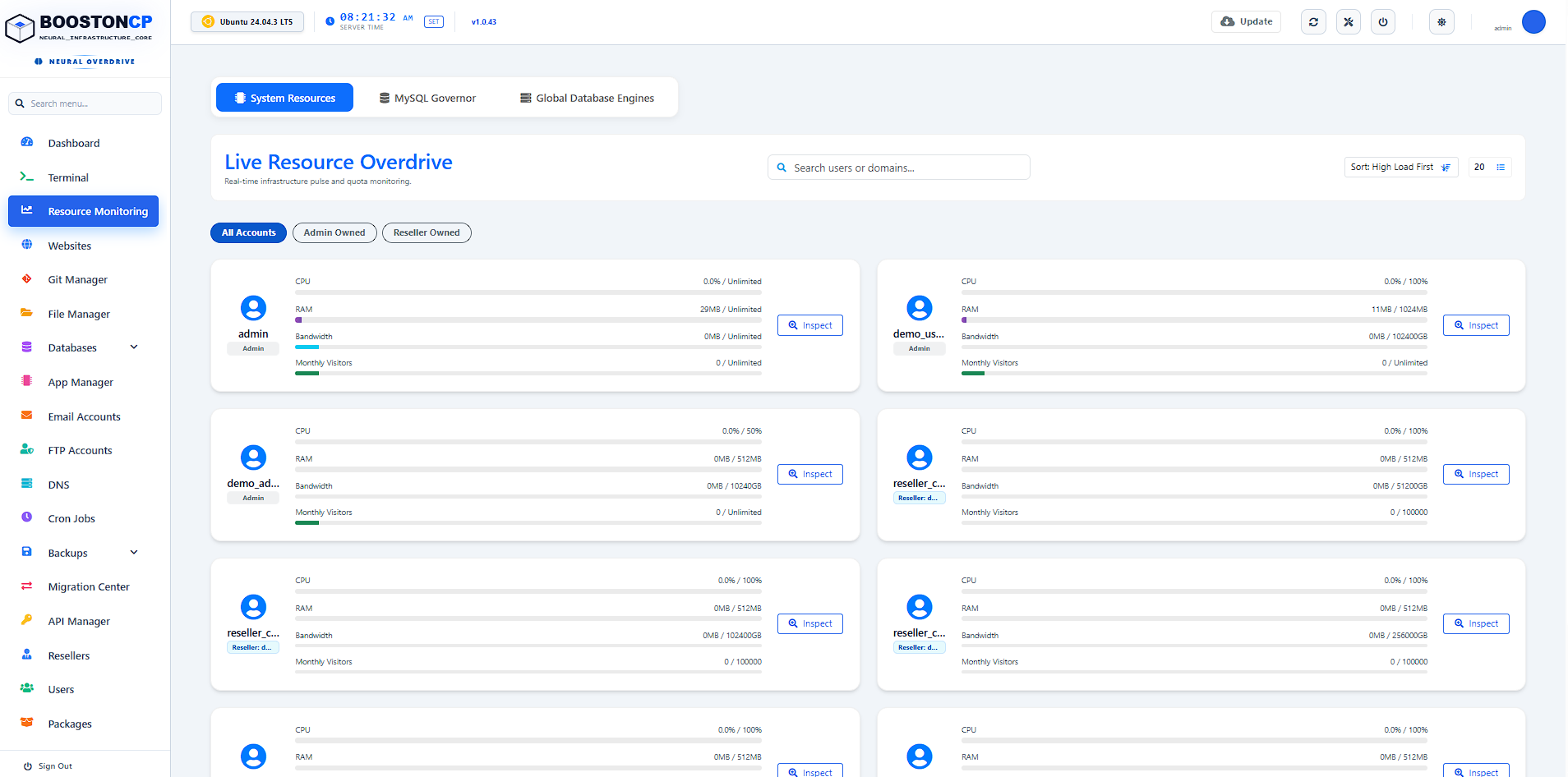
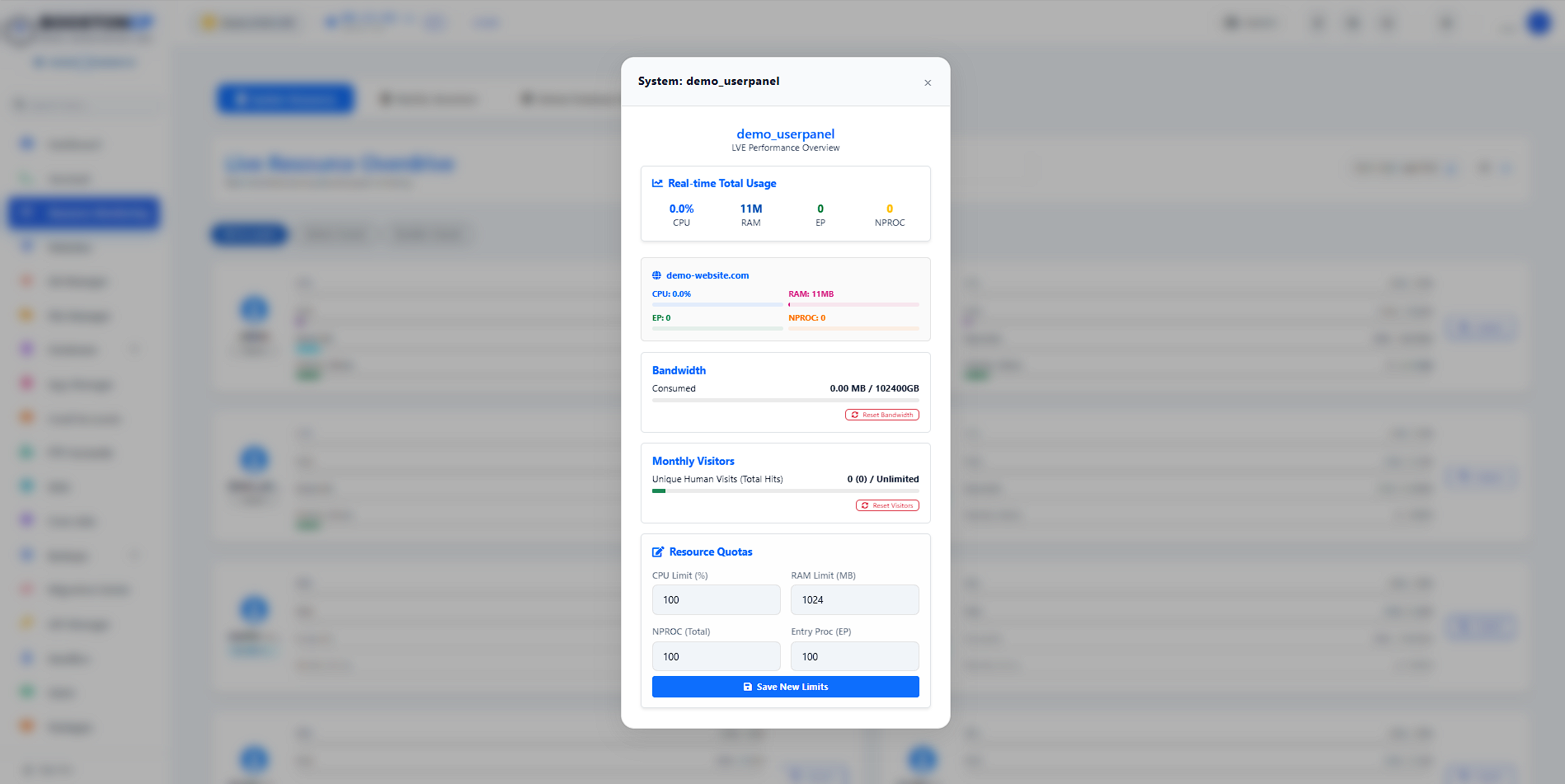
BoostonCP solves this natively using Linux Cgroups v2 Kernel Slicing. Each client user account is mapped to an isolated user-$UID.slice. You can set strict limits for CPU %, RAM (MB), I/O (MB/s), Number of Processes (NPROC), and Entry Processes (EP). If Client A experiences a viral traffic surge, Cgroups throttles only Client A—keeping all other agency client sites running smoothly at lightning speed.
3. Bubblewrap Namespace Jailing & Isolated Security
Security is paramount when hosting client websites. BoostonCP replaces standard insecure SSH/Bash access with a custom Bubblewrap Namespace Jail (`bwrap`). When your agency team or client logs into the web terminal, they are restricted strictly to their document root (`/www/wwwroot/$USER`). They cannot view system processes, inspect Nginx configuration files, or read other client databases.
4. Fully Automated WHMCS / HostBill Integration
Want to build a completely hands-off hosting platform where clients can buy WordPress hosting plans directly from your website? The official BoostonCP WHMCS Server Provisioning Module connects your billing panel seamlessly with your server nodes. When a client orders a plan, WHMCS automatically provisions the account, binds resource limits, sets up Let's Encrypt SSL, and provides Single Sign-On (SSO) login buttons directly from their billing dashboard.
Step-by-Step: Launching Your Agency Hosting Infrastructure in 4 Easy Steps
-
Step 1: Pick a Reliable Cloud VPS Provider ($5–$15/mo)
Sign up for Hetzner Cloud (Europe/US), Vultr High Frequency, or DigitalOcean. For 15–20 WordPress client sites, a 2 vCPU / 4GB RAM VPS instance ($7–$12/month) is more than enough due to BoostonCP's ultra-lightweight 280MB footprint. -
Step 2: Install BoostonCP Control Panel ($0/mo)
Connect to your server via SSH and execute the 1-click installer command. Within minutes, your BoostonCP Admin Dashboard will be live athttps://your-server-ip:2087. -
Step 3: Setup White-Label Branding & Private Nameservers
Navigate to Settings ➔ White-Label Branding inside BoostonCP Admin. Upload your agency logo, set custom CSS primary colors, and configure private nameservers (e.g.,ns1.youragency.com&ns2.youragency.com). Your clients will see your brand everywhere. -
Step 4: Deploy WordPress Client Sites & Configure Caching
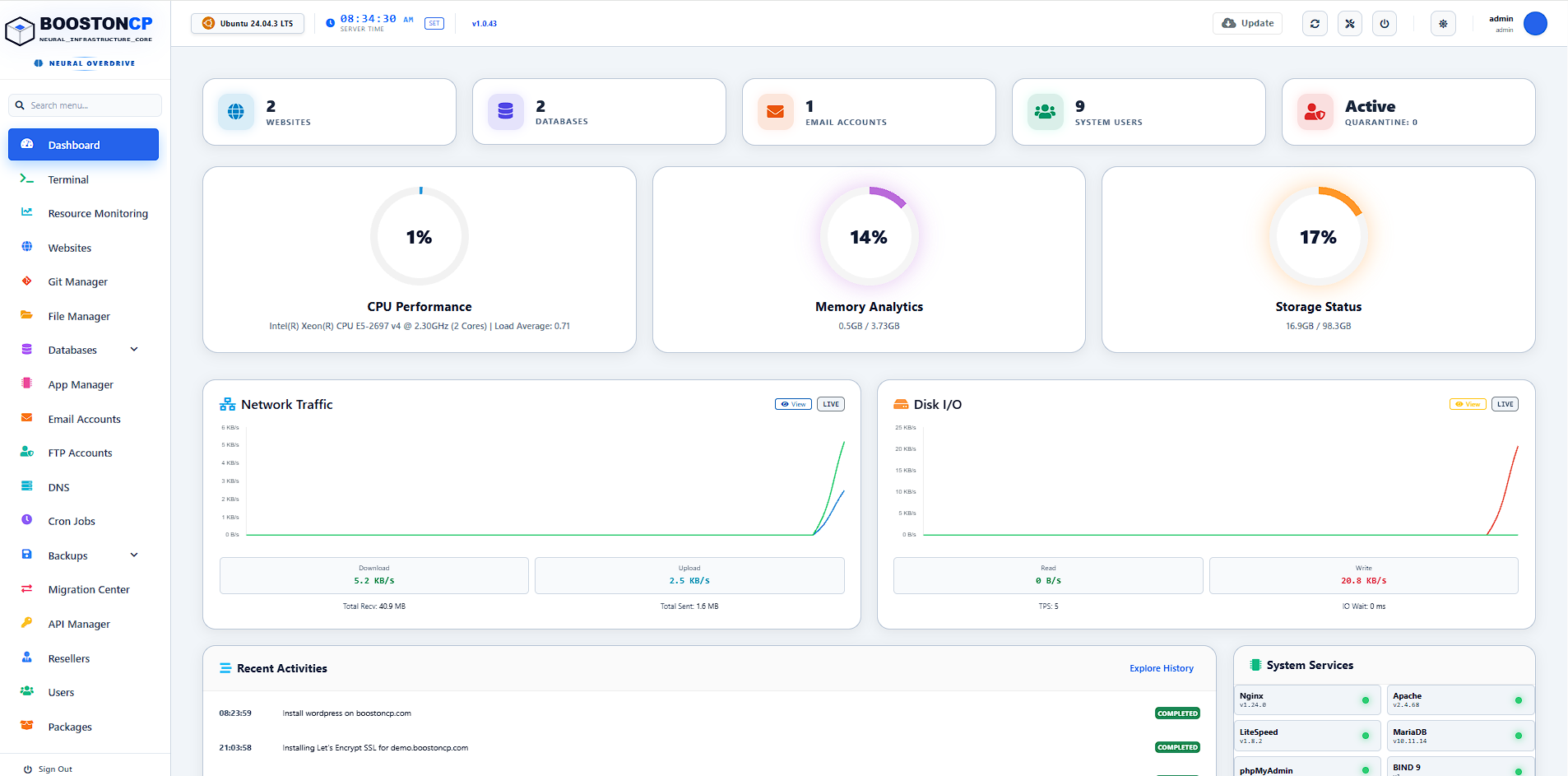
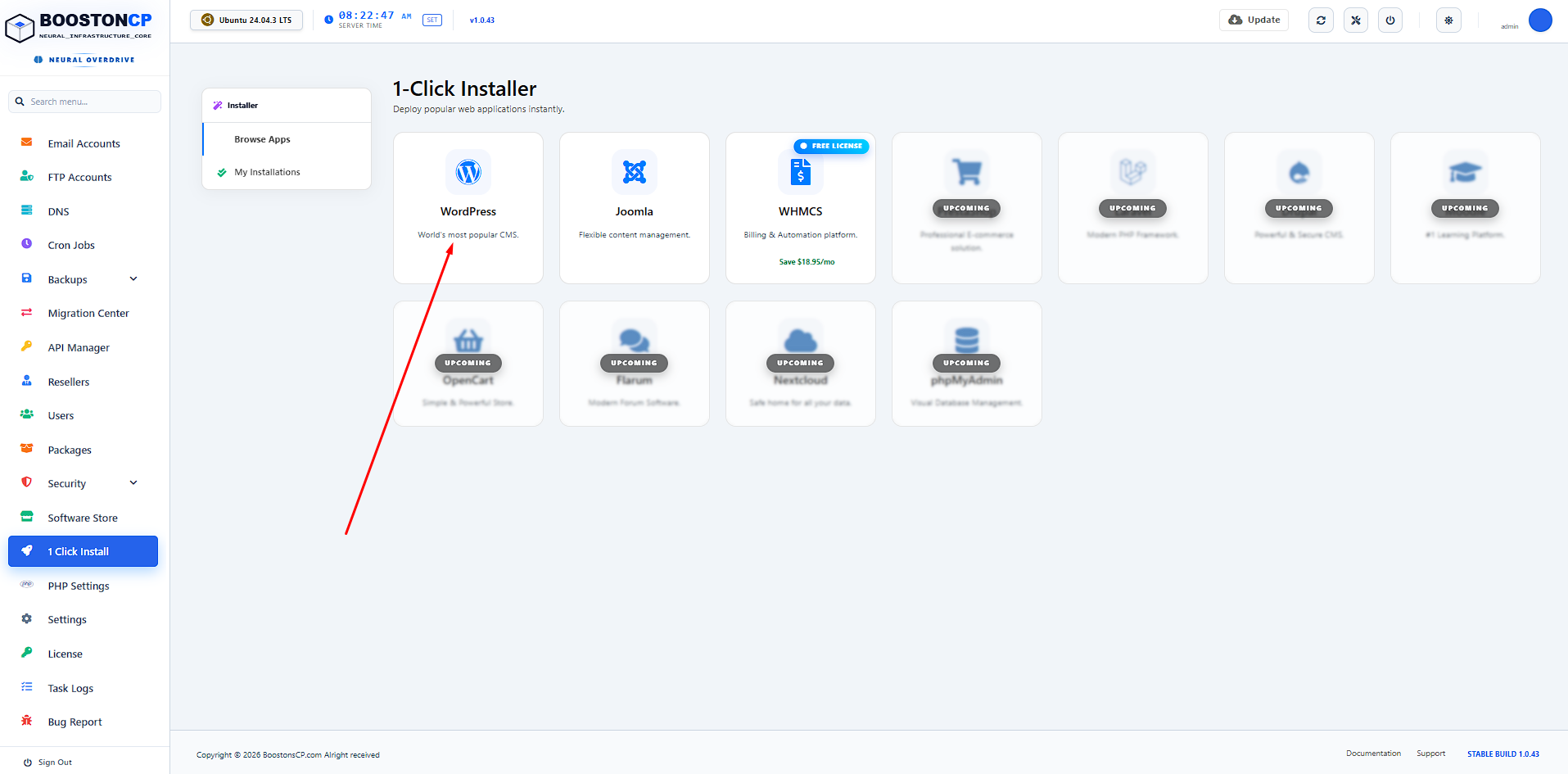
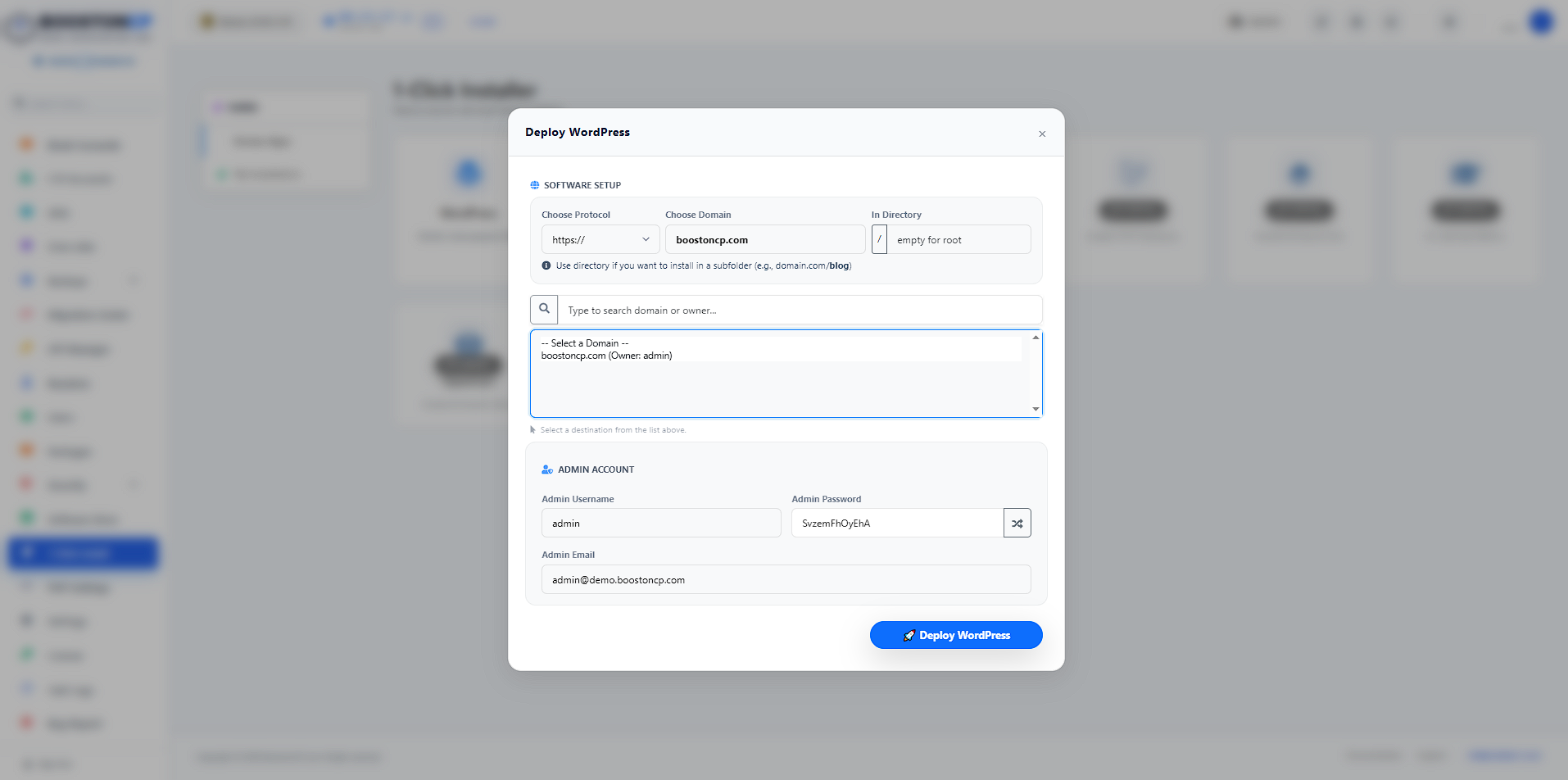
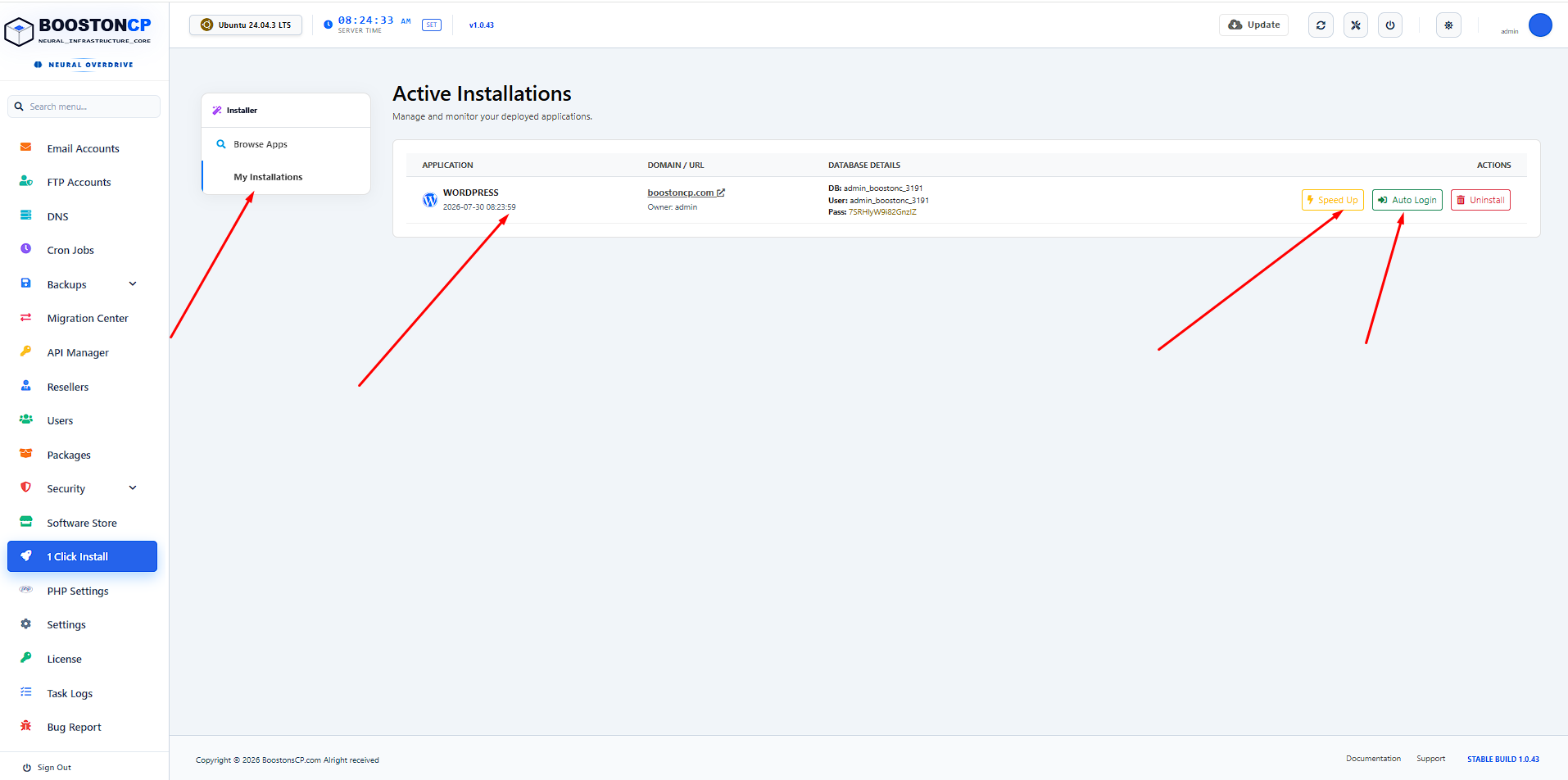
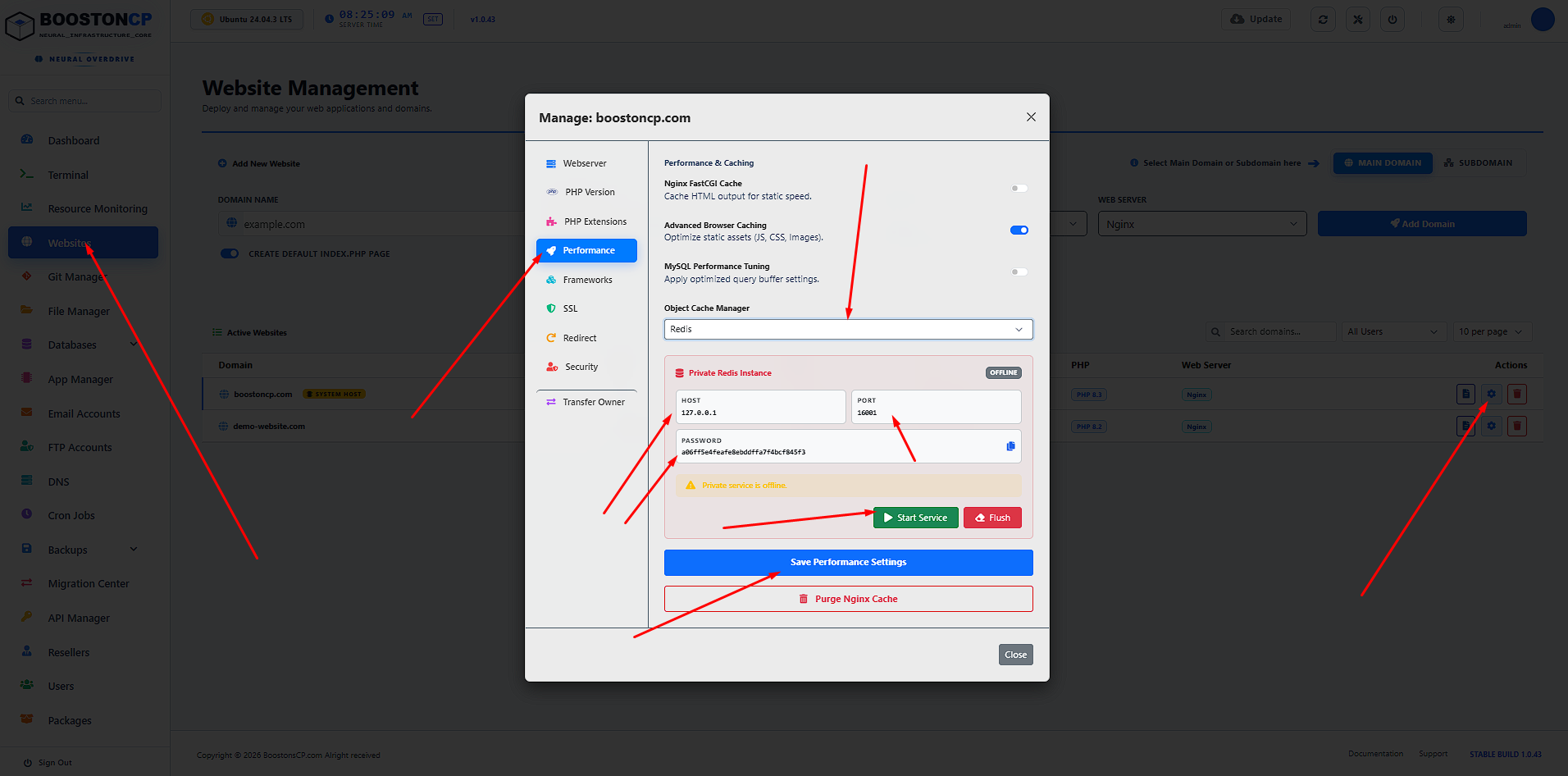
Use the 1-Click App Installer or WordPress Engine Manager to deploy sites. Enable Object Caching (Redis) and Nginx FastCGI Microcaching with one click. Sit back and watch your client sites load in under 200ms while collecting 99%+ profit margins!
Frequently Asked Questions (FAQ)
Ready to Build Your $0 Software Cost Hosting Empire?
Stop paying middleman markups to Cloudways and WP Engine. Deploy BoostonCP on your raw cloud VPS today and deliver 99%+ profit margins to your agency.





